2026 Kindle Signature Editions Add a Premium Metal Design and Better Value
We may earn a commission from links on this page.
The 2026 Kindle refresh makes a stronger case for Amazon’s premium models than for the lineup as a whole. E-readers rarely stir much public excitement, and Amazon’s products have felt especially predictable: a Kindle is still a Kindle. The company leads the market, while recent attention has gone to smaller players such as Boox and unusual devices like the phone-shaped Palma and the tiny Boox Picco. Amazon’s redesign is a welcome change of pace, but it doesn’t overturn that basic impression.
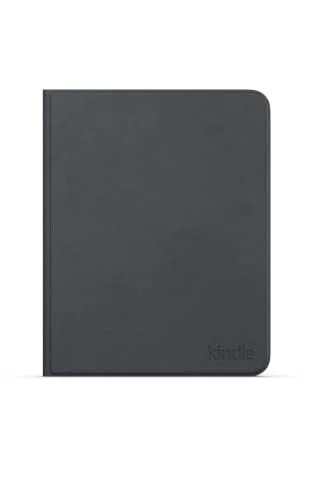
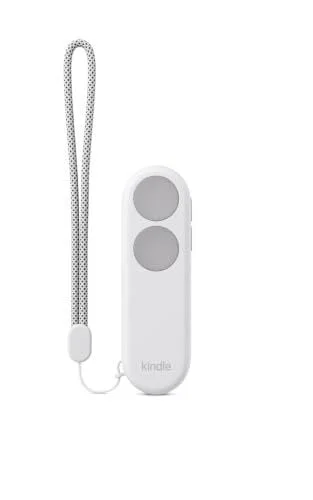
The new Kindle lineup arrived a few months after Amazon raised prices across its devices. Its flush-front screen looks polished, and Amazon says it developed a process for painting colored bezels directly onto the outer glass. But competing readers have had similar designs for years. An $80 cover that restores physical page-turn buttons and Bluetooth support for a page-turn remote feel like catch-up, not breakthroughs.
Here’s the thing: the premium models may finally be worth their premium. The 2026 Signature Editions of the Paperwhite and Colorsoft cost $50 more than their standard versions. That extra charge used to buy a bundle of niche perks. This time, Amazon has added enough hardware and accessory support to make the upgrade a more persuasive choice.
The Signature models finally earn their markup

Amazon launched the first Signature Edition Paperwhite in 2021. Its 25% price bump bought 32GB of storage—three times the standard model’s capacity—as well as wireless charging and an auto-adjusting front light. Those extras weren’t compelling for most readers. E-books take up little space; 32GB can hold more than 6,000 texts, far beyond what even a voracious reader is likely to finish in a lifetime. And plenty of people won’t care about wireless charging or automatic lighting. Removing lock-screen ads is a thin justification for a higher price.
This year’s Signature Editions offer a better argument. The core reading specs remain much the same across the standard and premium versions:
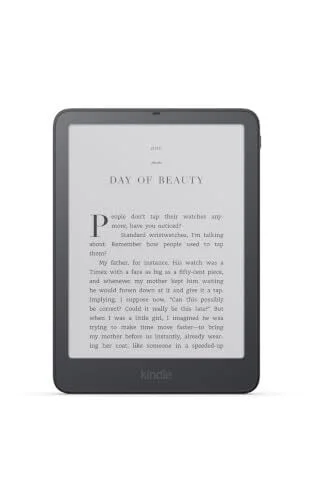
A 7-inch, 300ppi flush-front display; the Colorsoft’s color content tops out at 150ppi
Front lighting with adjustable color temperature
USB-C charging and, according to Amazon, up to 12 weeks of battery life per charge
Bluetooth support for wireless headphones
IPX8 water resistance
The standout difference is the new metal back. At 8.1 ounces, the Signature models weigh less than an ounce more than the standard plastic versions, which are about 7.2 ounces. That small trade-off buys a noticeably sleeker feel. It’s the first time the premium models have felt premium in the hand, rather than simply collecting a list of extra features.

The old extras are still here: wireless charging, an auto-adjusting light, and 32GB of storage. Storage remains more than most readers need, but it’s easier to justify if you keep audiobooks on your Kindle or read color comics on the Colorsoft.
The Signature models also add an accelerometer, so the screen rotates when you turn the device upside down. That helps if you want to change your grip, especially with the new Page-Turn Cover, which brings back physical buttons reminiscent of the discontinued Kindle Oasis. Another new option lets you advance a page with a double tap on the lower sides or back of the device. It only turns pages forward, but it gives you another way to read without touching the screen.
Amazon reserves its best accessories for Signature models

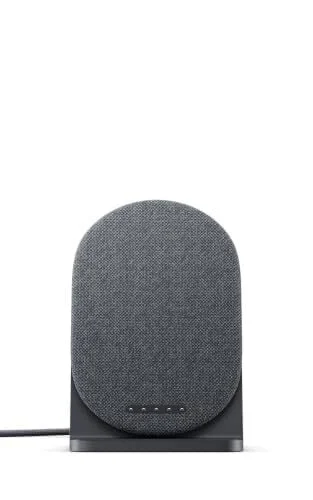
There’s a catch: the Page-Turn Cover and the new Charging Stand work only with Signature Editions, because they connect through built-in magnetic pogo pins. The stand wasn’t available for preorder at the time of writing. The Kindle Click page-turn remote is less restrictive: it works with any Kindle released in 2024 or later.
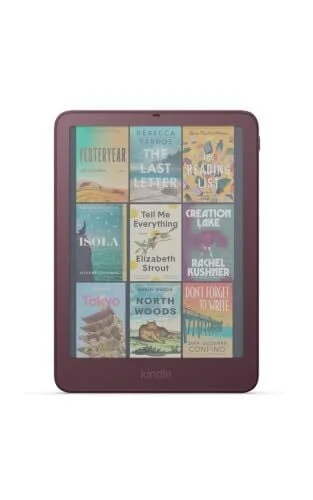
There’s also a cosmetic reason to pay more. Seaglass Green is exclusive to the Paperwhite Signature Edition, while the Colorsoft Signature Edition comes in reddish-purple Plum.
Most of the Kindle experience hasn’t changed
Beyond those additions, the 2026 devices feel much like the 2024 models. Amazon calls them its fastest Kindles yet, but page turns were already quick on recent models. You’re unlikely to notice much difference in ordinary reading.
The software is unchanged, and that remains one of Amazon’s strongest and most frustrating advantages. It’s easy to find and buy books and audiobooks on the device, sort your library, and send books to your Kindle by email. But the same system keeps you closely tied to Amazon’s ecosystem. If you’re happy buying and reading there, it’s convenient. If you aren’t, the software gives you fewer reasons to switch.
The flush screen has a trade-off

The new flush-front design has already divided Kindle readers. It removes the raised bezels found on the 2024 model, but adds a thin glass layer above the e-ink screen. That extra barrier can slightly soften text by putting more distance between the display and your eyes.
I didn’t see the difference firsthand: I don’t have an older Kindle for a direct comparison. The text still looked much sharper, and the lighting more even, than on devices such as the Boox Go 6 and Xteink X4 Pro. Still, some readers on Reddit say the new screen looks hazy or foggy, and others object to the flush design. Their reactions don’t establish how noticeable the difference is in everyday use, but if screen clarity is a priority, it’s worth checking the display in person before buying.
Some readers are already asking whether the screen looks hazy. Take that reaction for what it is: a real concern from some users, but not a direct comparison that settles the question.
What to buy—and whether to upgrade
For Kindle owners with a working model that already offers adjustable color temperature, the 2026 lineup makes a weak case for an upgrade. The new devices may be nicer, but the changes don’t justify their higher prices. That’s the clearest takeaway: a fresh model number isn’t a reason to replace an e-reader that still does its job.
If you’re buying your first Kindle, the Paperwhite is the better place to start. Its larger screen and warm-light option make the entry-level Kindle harder to recommend. And if you choose a Paperwhite or Colorsoft, the Signature Edition now earns its premium.
Accessories add to the cost: Amazon lists the Kindle Page-Turn Cover at $79.99, the Kindle Click Page-Turn Remote at $34.99, and the Kindle Charging Stand at $59.99.