10 iPhone Duo Apps That Turn Folding Into a Feature
The iPhone Duo’s fold gives app makers a new input surface: folding and unfolding can change what an app shows, how a game plays, or even how music sounds. A first wave of apps is already testing that idea, with results ranging from clever demonstrations to genuinely distinctive ways to use the device.
A foldable screen with a keyboard, cassette deck, and camera
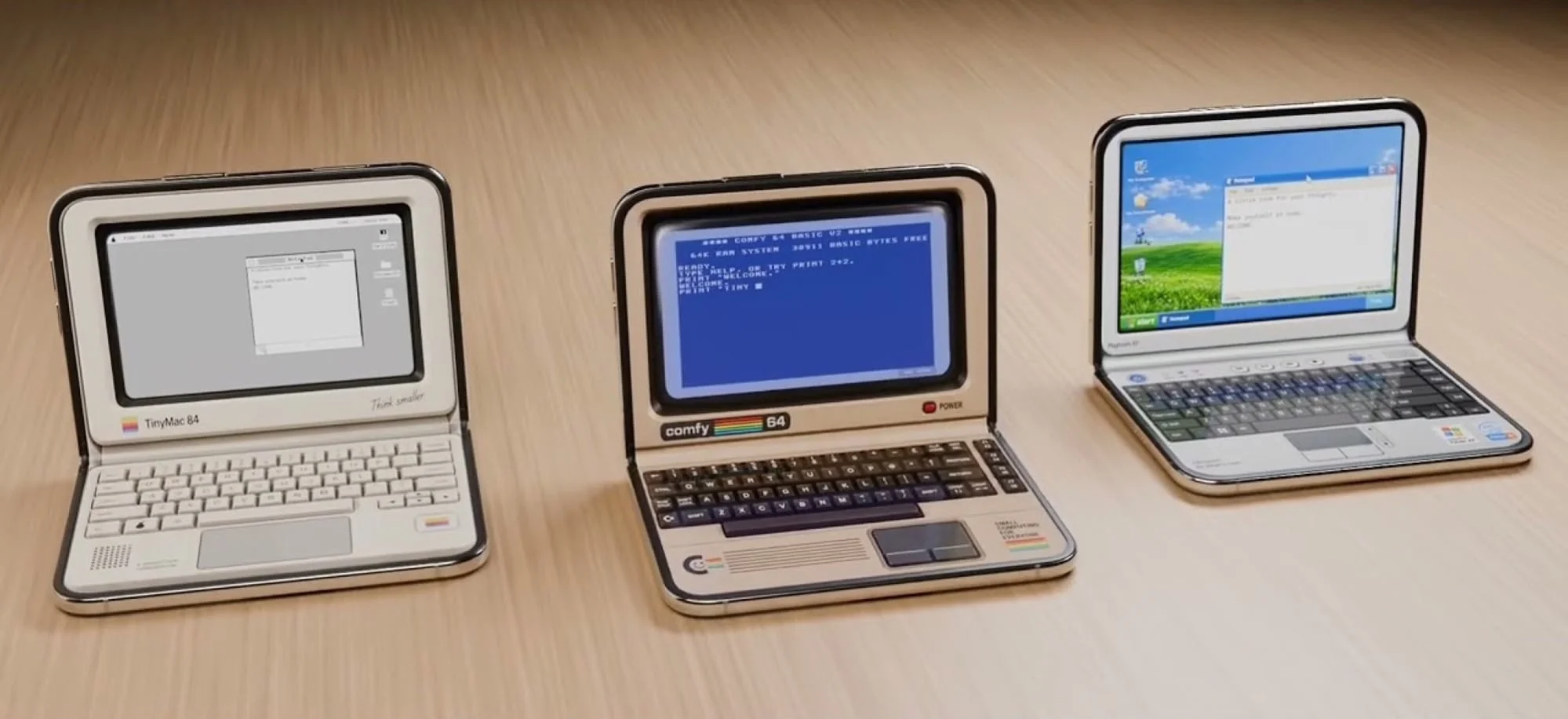
Tiny Computers ($4) turns the half-open Duo into a compact retro workstation, placing a keyboard on the lower display and the computer screen above it. Its lineup draws on machines including the Commodore 64, Windows 95 PCs, the iMac G3, Macintosh, IBM PC, Amiga 500, ThinkPad, iBook G3, PowerBook G4, and Windows XP. The design details make the concept easy to appreciate, though early App Store reviews report bugs.
Deck-Man ($5) gives Apple Music a cassette-player interface, complete with tactile clicks and clacks. Before an album starts, users can make a virtual cassette insertion; the app connects to Apple Music and can also play locally stored tracks. It’s a small interface change, but one that puts a familiar physical ritual back into music playback.
Video gets a similar treatment in Flipcorder ($5). In tablet mode, the inner display acts as a retro viewfinder while the outer screen lets subjects see the frame. Folding the Duo saves the recording, which is stored as a virtual tape. The app allows up to 30 minutes of video recording per day.
Games that respond to the hinge
Several titles make folding part of the control scheme instead of treating it as a display trick. Orisuji ($5) has 69 maze levels in which changing the Duo’s position moves characters through routes, opens doors, and helps them reach keys. The hinge becomes a way to manipulate the puzzle itself.
Marbles Unhinged is free, with each world’s levels available for $3. Players guide a marble to an exit while folding the phone changes part of the level into a ramp and affects the marble’s speed. Adjusting the Duo’s angle adds another variable, making the device’s physical position part of the solution.
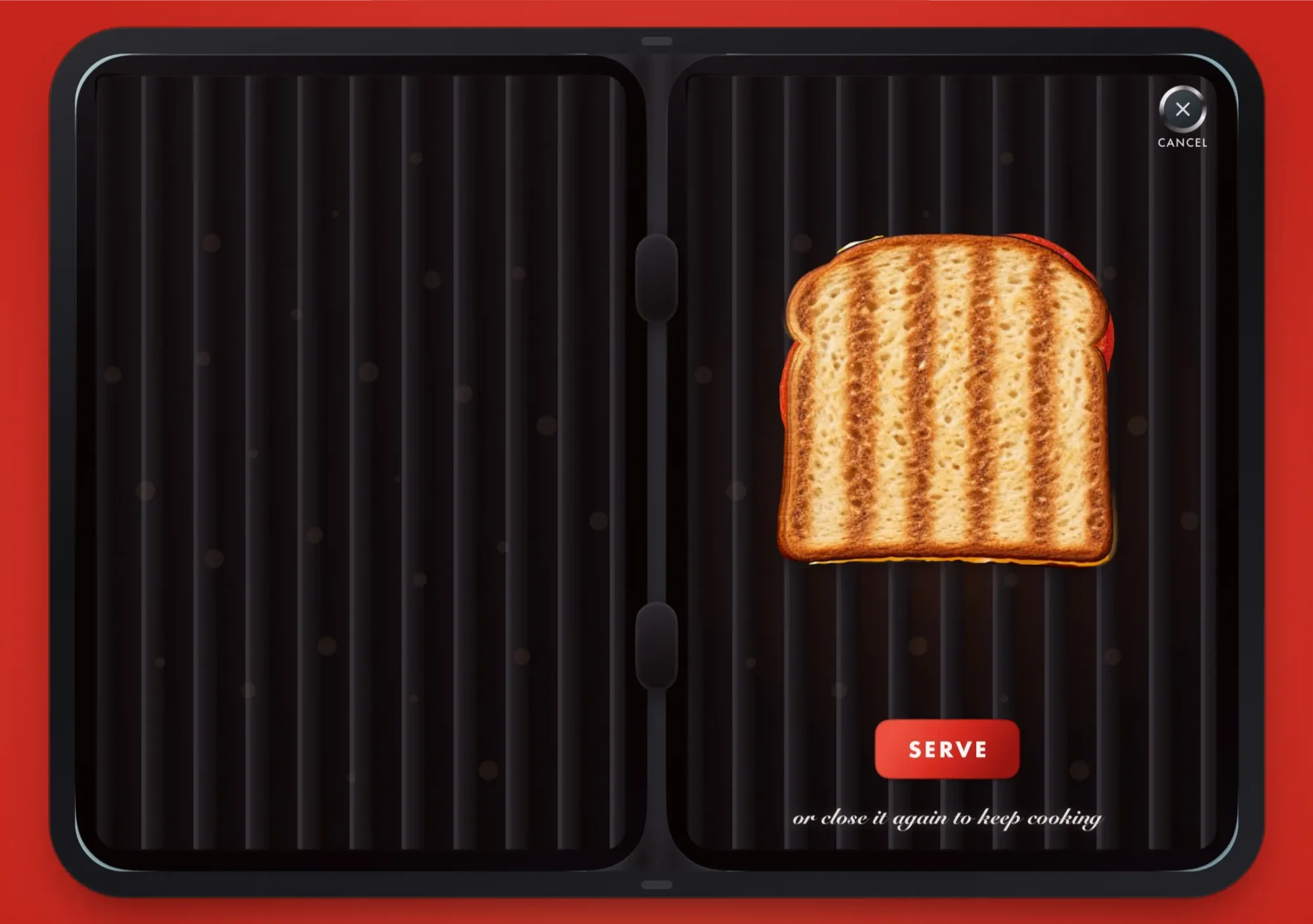
Toastie ($3) uses the hinge for a more literal cooking mechanic. Its 10 sandwich recipes break into timed steps, each with a 15-second limit. Folding the phone cooks the sandwich, but holding it closed for too long burns the toast.
In ChompDuo, closing the Duo makes a monster snap shut, with haptic vibrations adding a physical response to each bite. The creature’s eyes appear on the outer screen when the phone is folded. The app is free, with all monsters unlocked for $1.
Music, instruments, and a pop-up city guide
Foldissimo makes the opening and closing motion part of an accordion performance, simulating airflow as the device moves. It’s free with some songs included; unlocking the full song collection costs $10. Accordion organ, panpipes, and theremin are also available for an additional $10.
Unfold Your City adapts the pop-up book format into a guide to city highlights. As the Duo opens, illustrated scenes rise into view; closing it returns the display to the book’s cover. The app is free, and unlocking all cities costs $5. Its paper-inspired presentation recalls the pop-up books of Robert Sabuda.
For Pokémon fans, Dex Fold recreates the anime’s Pokédex, the device used to look up pocket monsters. Its defining constraint is also its hook: the app works only while the iPhone Duo is unfolded. It’s free, with optional features available for $3.
These apps show where the Duo’s form factor can matter: the hinge becomes a control, a stage, or part of an interface’s physical logic. The strongest ideas make opening and closing the phone feel like an action with a clear purpose, giving developers a useful design direction beyond simply stretching an app across two screens.


