Suunto Race 3S: Five Features That Make Its $599 Price More Useful
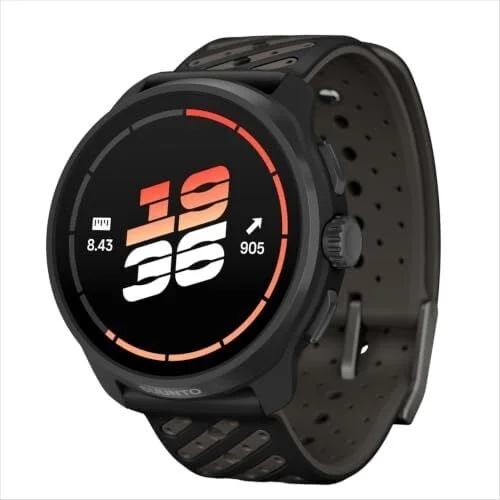
For the Suunto Race 3S, the practical question isn’t just what’s new; it’s whether its upgrades earn their place in your routine. At $599, it costs considerably more than the Race S, which is regularly on sale for $299. The Race 3S brings 46% more battery capacity, up to 38 hours of dual-band GPS use, and 64GB of storage—twice the Race S’s capacity. Those specs matter most when you use the watch’s navigation, training and SuuntoPlus features rather than treating it as a basic activity tracker.
Here are five ways to put those capabilities to work, from planning routes at home to getting a timer ready without starting a workout. Race 3S owners may also find these Suunto Run hacks useful.
We may earn a commission from links on this page.
Plan a route before you leave home
Offline maps are among the watch’s most useful travel features. The Race 3S supports free worldwide maps with contour lines and place names, without a subscription. Download the areas you need over Wi-Fi before setting out; that way, a weak signal at a trailhead won’t leave you without the map. With 64GB of storage, you can keep several regions ready for regular routes and trips.
Maps work best when paired with points of interest (POIs). These saved locations can mark practical stops such as trailheads, water sources, campsites and viewpoints. Suunto also includes more specialized categories for activities like fishing, foraging and wildlife watching. You can save up to 250 POIs on the Race 3S.
There’s no need to wait until you reach a location to create one. Add a POI on a map in the Suunto app, or save your current position directly from the watch when you find somewhere worth remembering. For an outing, select a POI as the navigation target in the activity options. The watch also has a navigation app in the widget list, so you can navigate to a saved location without starting an activity. Grouping POIs by area before a trip makes it easier to find a trailhead or spring once you’re on the move.
For routes with significant elevation changes, Climb Guidance breaks the course into flat, uphill, downhill, climb and descent sections, and displays the remaining ascent. It won’t prescribe a pace, but it gives you useful terrain context for deciding where to conserve effort and where to push.
Use the barometer to get an early weather warning
The Race line’s storm alarm watches for a rapid drop in air pressure, which can signal a change in weather. Its value depends on a reliable barometer reading, so calibrate the altitude before relying on the alert. You can use a known elevation from a trailhead sign or map, or ask the watch to adjust altitude using GPS.
To enable the notification, open Settings, then System notifications, Alerts and Storm. The same Alerts area also lets you set sunrise and sunset notifications. If you start an outing at a different elevation, check the calibration again under Settings, then Alti & Baro. Choose Set altitude to enter a known figure, or Auto adjust altitude to use GPS.
The alarm can give you another cue to reassess a plan, but it depends on pressure data and shouldn’t replace paying attention to conditions around you. A calibrated watch is the useful starting point.
Set training zones using your threshold
Heart-rate zones are only helpful when their boundaries reflect your fitness. Default watch settings often rely on general estimates. Suunto’s SuuntoPlus store offers an Anaerobic Threshold app that guides a test to estimate the heart rate associated with your lactate threshold.
The test is demanding: after warming up, you run as fast as you can for 30 minutes. The app then estimates the heart rate that corresponds to your threshold. Once you have that result, open Settings on the watch, choose Training and Intensity zones, and set the boundary between zones 4 and 5 to your threshold value. You can apply zones across sports or adjust them for a specific sport in the advanced settings. Suunto provides guidance on calculating other zone boundaries.
For a test where heart-rate accuracy matters, a chest strap is a sensible companion. Wrist readings can be less dependable during hard efforts, when you need a steady measurement to set training zones.
Add running data without extra button presses
SuuntoPlus apps add activity data on the watch, and two options can make running sessions easier to review. Cadence Coach displays live cadence and stride length. Use it during easy runs to see what cadence feels natural, then refer back to that range when working on form. It’s a feedback tool, not a reason to force an arbitrary number.
Sprint records strides and sprint efforts automatically using wrist acceleration. That saves you from tapping the lap button during short repeats or hill sprints, and lets you inspect the efforts afterward. Both apps need to be activated in the Suunto app’s SuuntoPlus store before you begin an exercise. They can provide useful context as you work on running economy, especially when you compare sessions over time.
Put the timer within easy reach
A small shortcut can make the watch more useful every day: move the timer widget to the top of the list and pin it so a press of the crown opens it. Widgets appear from the watch face when you swipe up or turn the crown, and their order can be changed in the Suunto app. Once the timer is open, the upper button starts and stops the stopwatch; the lower button resets it.
That setup works for intervals, a cooking timer or a race-day warm-up, without launching a full workout. The timer also remembers whether you last used the stopwatch or countdown mode, saving a few more taps next time.
Suunto has also announced Race Planner, a feature intended to build a pacing plan using a route, weather and goal time, then guide the runner during a race. There’s no release date yet, so it’s best treated as a future addition. For now, the Race 3S earns its place through tools already available: offline navigation, clearer terrain planning, tailored training data and quicker access to everyday functions.


