ChatGPT Slides vs. Gemini: AI Presentation Tools Put to the Test
AI can turn research into slides quickly, but the hard part is still deciding what belongs in the deck and whether it’s right. In a comparison built around the rumored iPhone Duo, ChatGPT Slides produced a more detailed presentation and could use official product imagery. Gemini, working inside Google Slides, made the more convincing visual story, though it got a screen specification wrong and generated an implausible phone image.
That leaves a practical choice: ChatGPT offers a dedicated AI presentation workspace and more direct controls for editing slide elements, while Google benefits from a mature presentation editor and a smoother design sensibility. Neither result was ready to present without human review.
What the ChatGPT tiers can make
ChatGPT Slides is available to Pro subscribers and higher, a tier that currently starts at $100 per month. Free and Plus subscribers can still ask ChatGPT to turn conversation content into a downloadable PowerPoint file. Those decks are simpler: they lack the full Slides experience’s collaboration features and native editing options.
On a $20-a-month Plus account, a prompt asking for a deck about the iPhone Duo’s features and early reviews yielded a competent but basic result. The information appeared accurate in the test, and the slides followed simple layouts. The deck had the feel of a quick template job: serviceable, but not especially selective about which details mattered or how the material should build from one slide to the next.
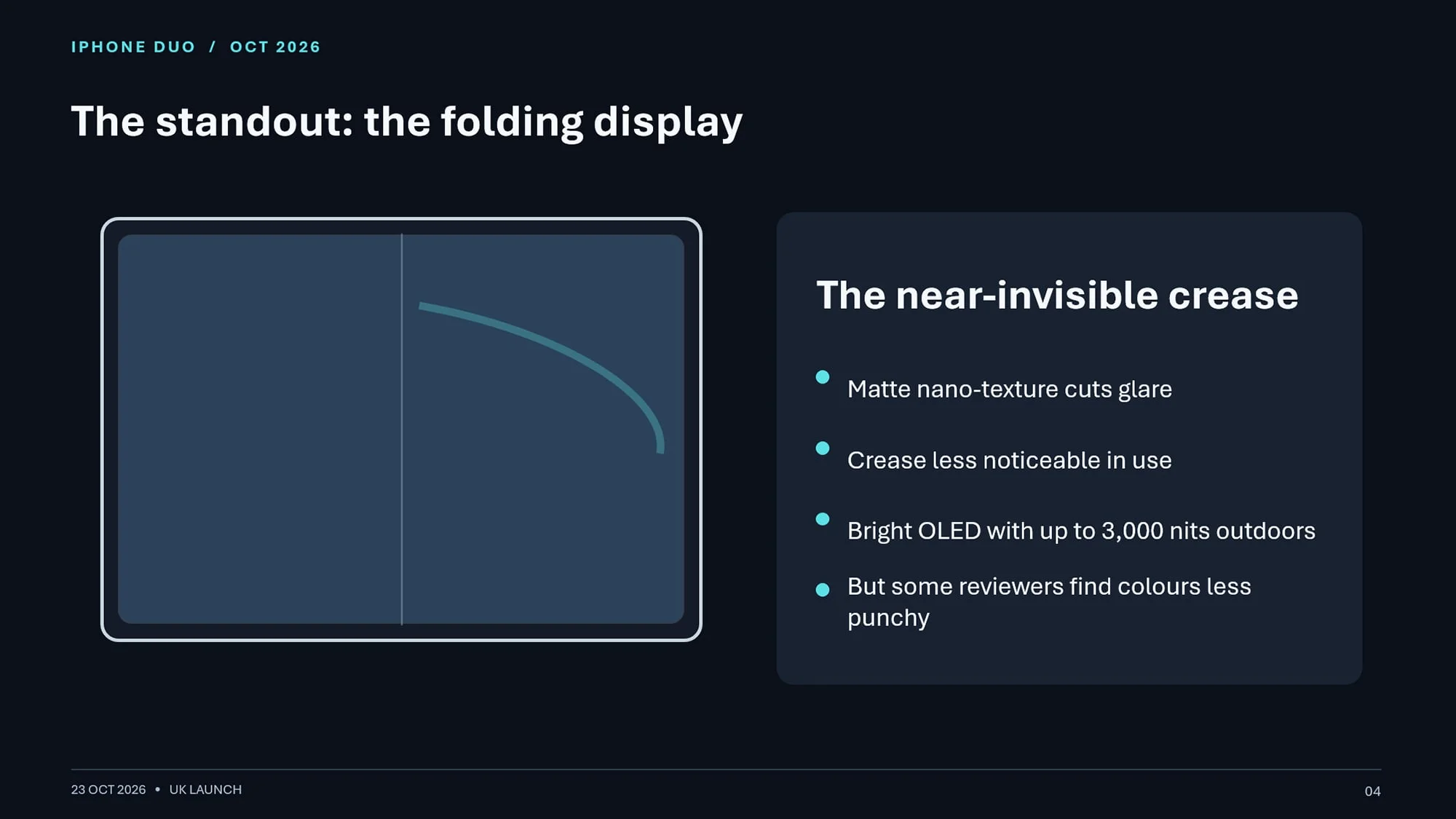
ChatGPT could include an official image of the iPhone Duo, but only after being asked specifically. Revisions were possible through the conversation prompt, though the Plus workflow didn’t offer precise, element-by-element editing. For people who mainly want to turn existing chat research into a rough deck, the lower tier may be enough.
Plus also has a Presentations add-on in the prompt box’s plus menu. Its place in the product appears uncertain now that ChatGPT Slides has arrived, so it’s hard to treat it as a stable alternative to the dedicated tool.
Pro adds depth, but the workflow takes patience
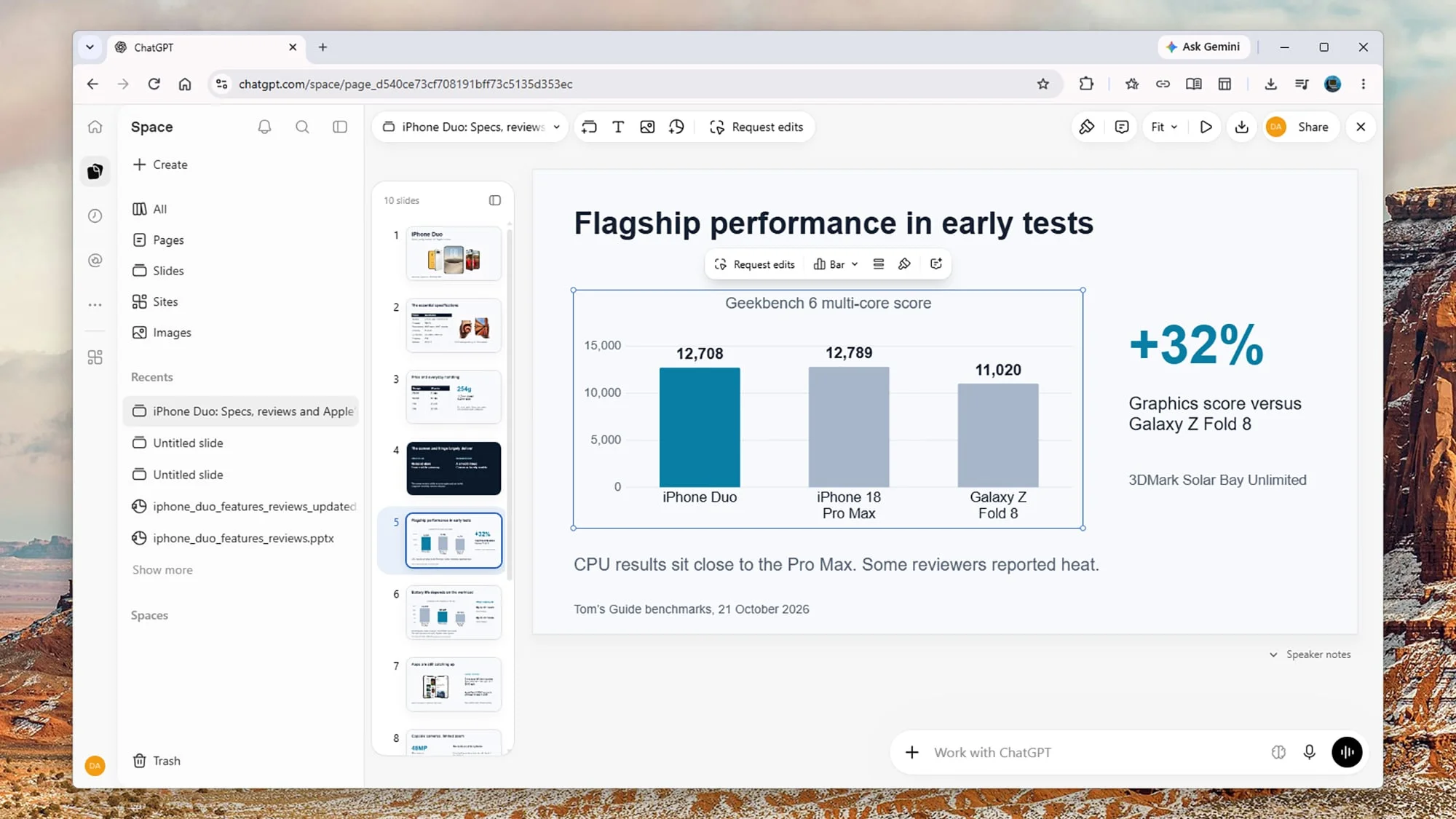
The Pro version gives Slides its own area in the ChatGPT app, where users can start a presentation from a blank canvas. There are basic text and image tools, but the main way to build is still to describe the deck and wait for ChatGPT to generate it. That prompt-first approach can feel slower than placing text and graphics directly in PowerPoint, and some requests failed to complete during testing.
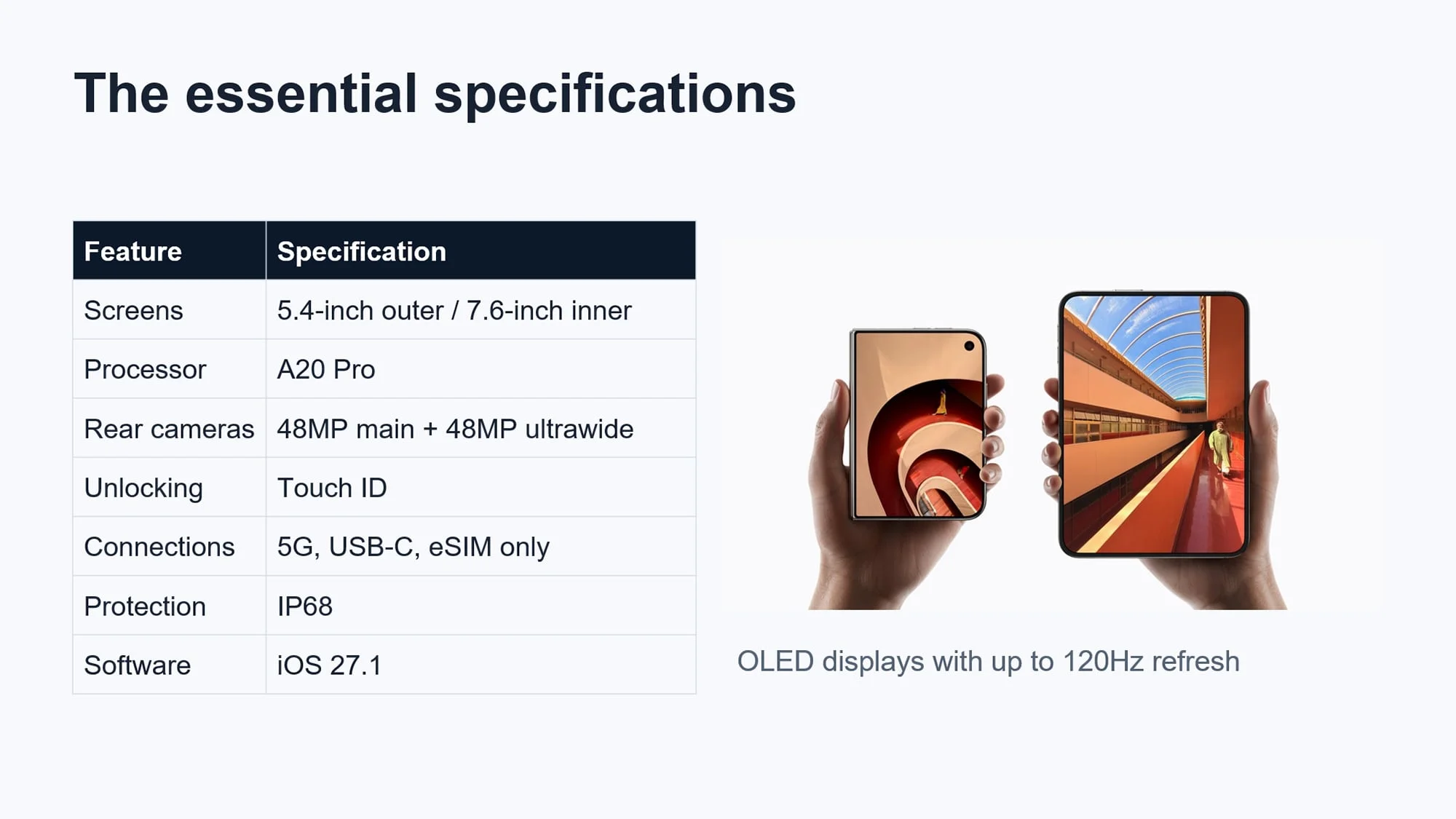
A more effective route in this test was to gather information in a regular ChatGPT conversation, then turn that material into a presentation. The Pro deck was longer and better organized than the Plus version, and included battery-life charts as well as official product photos. It was a tangible improvement in depth, even if the overall presentation still needed editorial judgment.
ChatGPT lets users select individual slide elements for basic resizing and repositioning. They can also request broader changes in a prompt, such as adding an image, centering content or making a slide more visually prominent. Collaborative tools are available, though they weren’t tested here. They could matter to teams already working inside ChatGPT, as could the ability to rapidly turn a large body of notes into a presentable first draft.
Gemini makes a stronger visual case
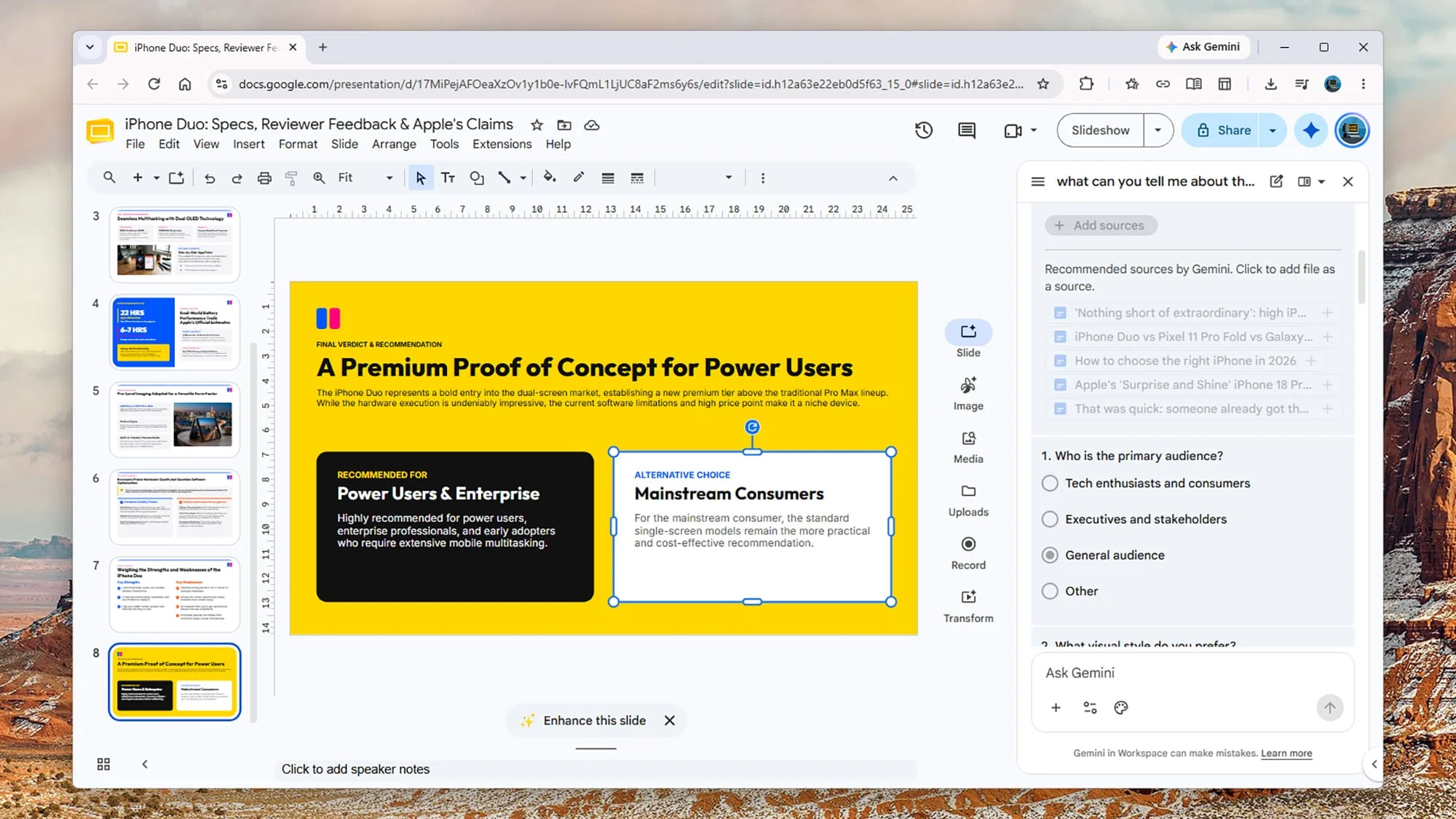
Google AI Pro, priced at $19.99 a month, brings Gemini into Google Slides. For the comparison, Gemini received the same iPhone Duo assignment. It asked about the intended audience, visual style and key details to emphasize before generating the deck. Those questions helped shape the brief, and ChatGPT Slides could benefit from a similar guided step.
The resulting Google Slides presentation looked more deliberately designed. Its layout, color choices and selection of information felt more cohesive, giving the deck a more human-edited quality than ChatGPT’s output. That advantage came with a significant caveat: Gemini misstated the iPhone Duo’s maximum screen brightness and created a product graphic that resembled two older iPhones joined together.
ChatGPT’s deck had an edge on product imagery: it was able to pull official photos from Apple’s website. Gemini’s inaccurate specification and awkward generated visual show why a polished slide deck still needs a fact check, especially when it covers a product whose details matter to the audience.
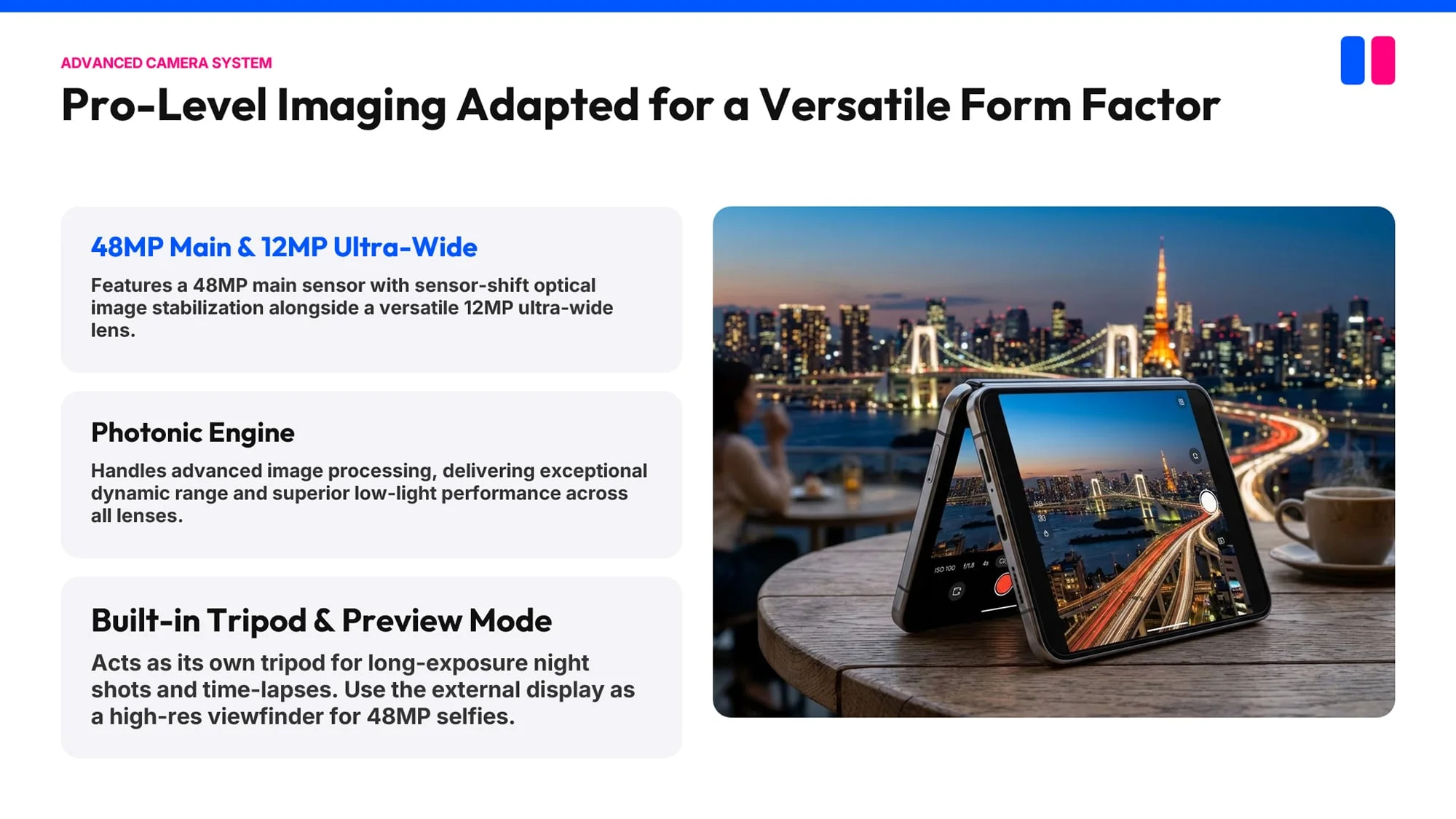
Google Slides doesn’t let users attach an editing prompt directly to a particular object in the same way ChatGPT Slides does; changes go through the general prompt box. But Google’s editor has had roughly a decade to develop its presentation features and layout options. That maturity shows in the surrounding workflow, not just in the generated deck.
Both tools still need an editor
Across free, Plus and Pro versions, ChatGPT’s presentations tended to feel assembled by an algorithm. Slides didn’t always connect smoothly, and the deck as a whole could lack a clear progression. The Pro version supplied more material and better layouts, but more content doesn’t automatically make a presentation persuasive.
Traditional slide editing remains more predictable when a deck needs a specific argument, a controlled pace or careful visual hierarchy. Templates and layout controls in established tools make it possible to shape those choices directly. AI can reduce the time spent assembling a first draft, but a person still has to decide what to cut, what to verify and what each slide should make the audience understand.
For now, Gemini inside Google Slides looks like the stronger option for AI-assisted presentation design, helped by its lower entry price and the editor’s established feature set. ChatGPT Slides has useful element-level adjustments, collaboration features and a clear advantage when it can source official imagery. Its Pro-only availability also makes it a costly way to get a presentation tool if the rest of ChatGPT’s paid features aren’t already part of the workflow.
The most useful near-term role for either product is as a drafting assistant: let it organize research and propose layouts, then check every claim and shape the story yourself. ChatGPT’s dedicated Slides workspace may improve as it develops, but Gemini’s visual lead and Google Slides’ mature controls give it the more practical starting point today.
with Gemini inside Google Slides

