Apple HomeView Review: A Compact Smart Display With Siri and Watch-Style Widgets
Apple's HomeView is here, and it's a smart display with a 7-inch screen, Siri AI, and software that feels far more like an Apple Watch than an iPad. I spent ten days with one on my kitchen counter, and the device is more charming than I expected. It's also more limited than the pitch suggests. If you're considering one, you can pre-order HomeView now and save $10.
Design and hardware
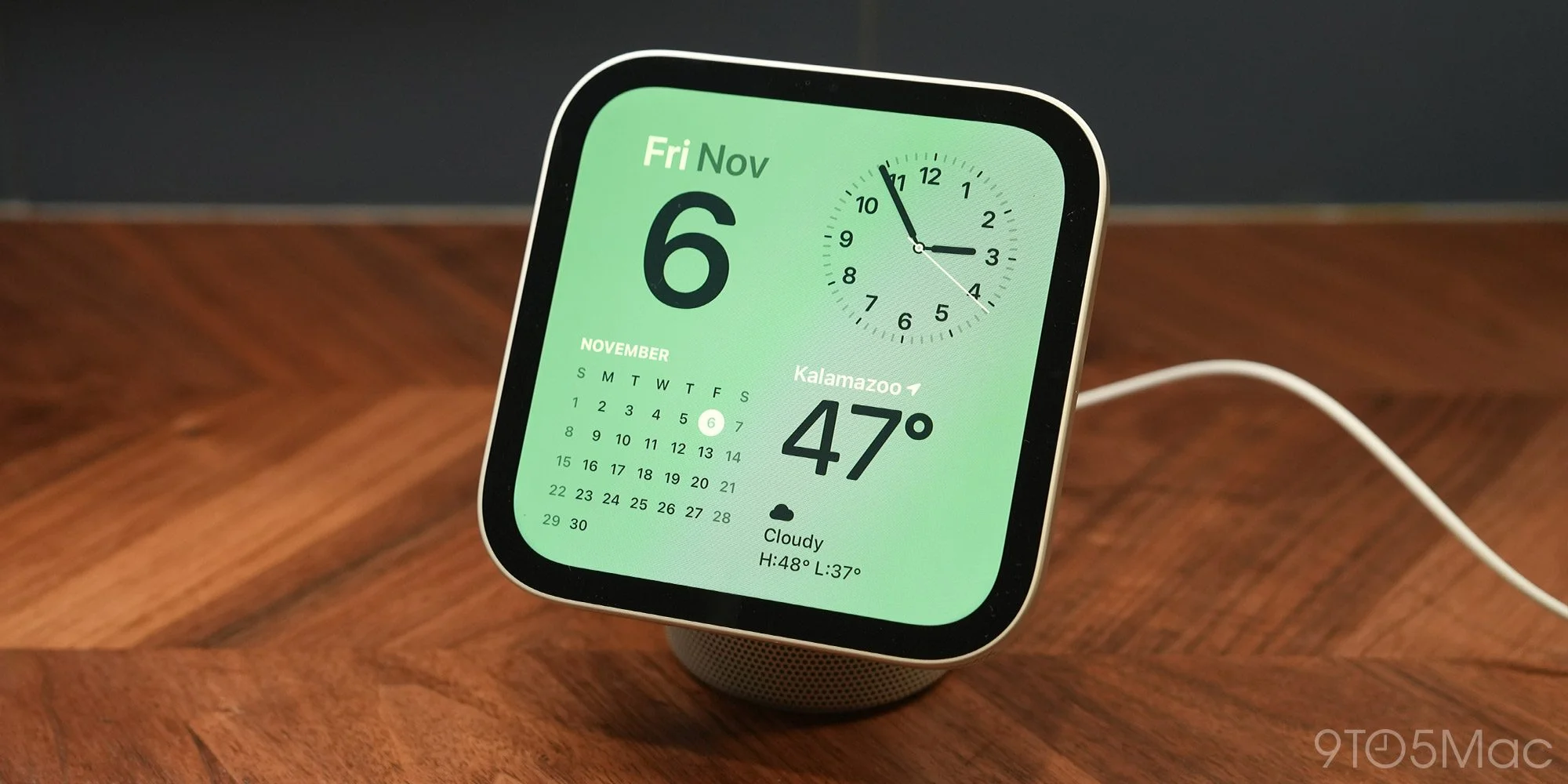
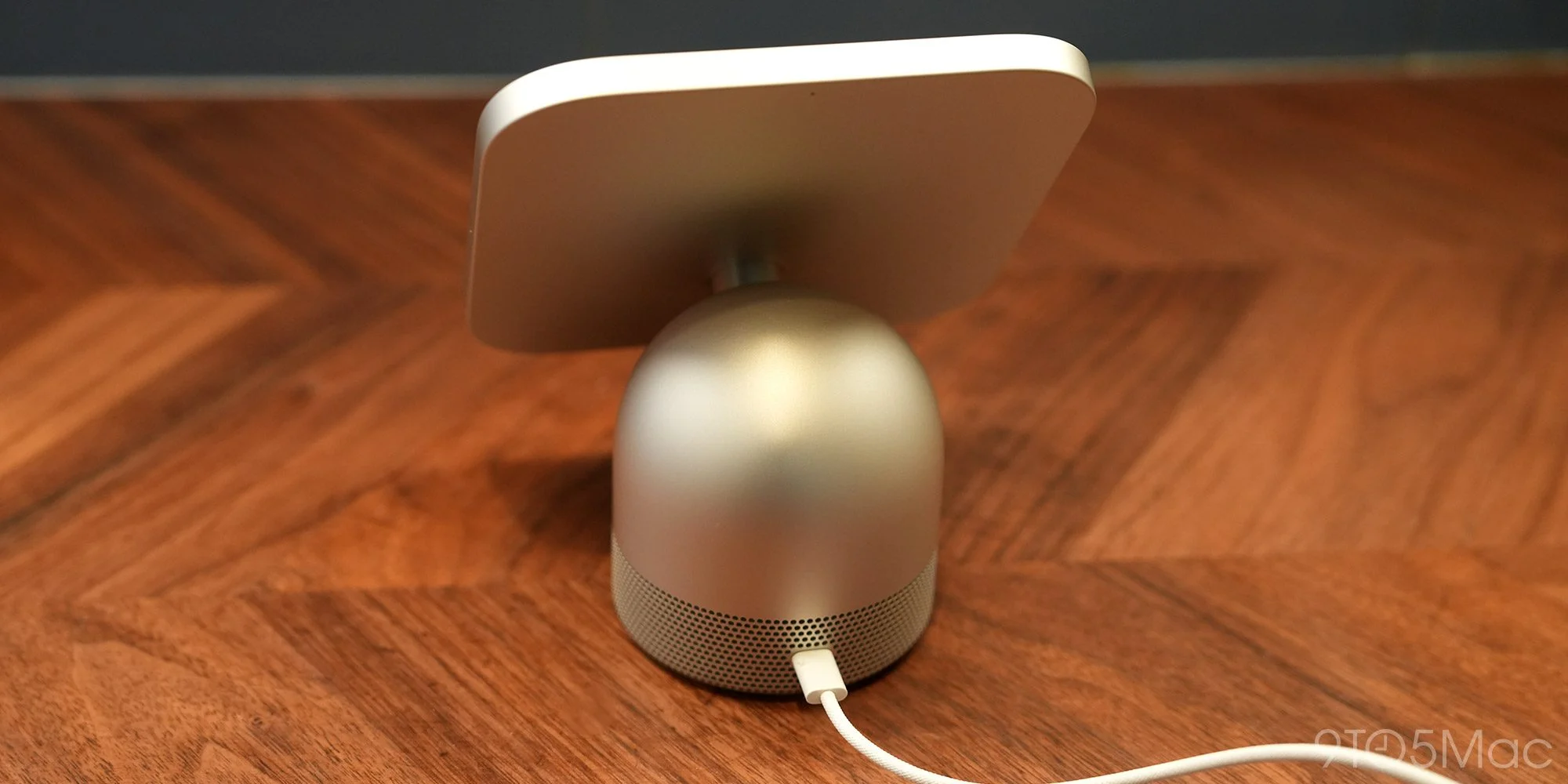
HomeView is an adorable little thing, and that's the most accurate way to put it. A 7-inch square display sits on top of a rounded aluminum speaker base. A slim, polished metal arm connects the two and lets you tilt the screen forward or back.
It comes in four colors: Starlight, Rose Pink, Silver, and Space Gray. My review unit is Starlight, which is so subtle that I had to check the box to confirm I hadn't been sent Silver.
The square display is the smart call. Combined with a software experience built around faces and widgets, it makes HomeView feel like an oversized Apple Watch for your home. That's the point. Next to an iPad propped on a stand, it reads as a device built for one job, not a tablet that wandered onto the counter.
The specs are solid on paper. The 7-inch panel runs at 1088 × 1088, which works out to 220 pixels per inch. Maximum brightness is 500 nits, and it dims all the way to 0.3 nits, low enough that it won't keep you up in a bedroom. True Tone matches the screen to your room's lighting temperature.
Ten days on a kitchen counter tells you things a spec sheet can't. My partner and I don't have much spare counter space, and HomeView's footprint is the reason it stayed. The square display and aluminum base look deliberate in that spot. I don't think an iPad-style display would look nearly as intentional. If it were any bigger or wider, I'm not sure we'd have found room for it.
I went in skeptical about a 7-inch screen being useful day to day. That skepticism mostly disappeared. Apple has tuned the interface well. Text is readable at a glance from a few feet away, timers are big, and the layout adds detail as you move closer.
Still, I'd like a bigger screen sometimes. Recipes need more scrolling than I'd prefer, and I wish the Modular face had room for a couple more widgets. Those are easy trade-offs, though, given how little space HomeView takes up.
Sound quality
Apple says HomeView has a custom-engineered acoustic system. The display holds two custom full-range drivers. The base adds a down-firing woofer and two force-canceling passive radiators.
In practice, this is where I'd temper expectations. HomeView lands somewhere between the HomePod mini and the full-size second-generation HomePod. It won't blow you away, but it's respectable for music and podcasts. I swapped a full-size original HomePod in my kitchen for it, and yes, it sounds noticeably less full. The screen more than makes up for that, though. Whether that trade is worth it depends on whether you actually look at the thing.
HomeView works as an AirPlay target, so you can beam content from an iPhone or other Apple device straight to it. It also runs the other direction. You can AirPlay from HomeView to other AirPlay targets around the house.
The lack of physical buttons annoyed me more than I expected. There are no volume buttons, so you're either asking Siri to turn it down or reaching for the touchscreen. It's a real gap, and it's the design call I'd most like Apple to revisit.
Software
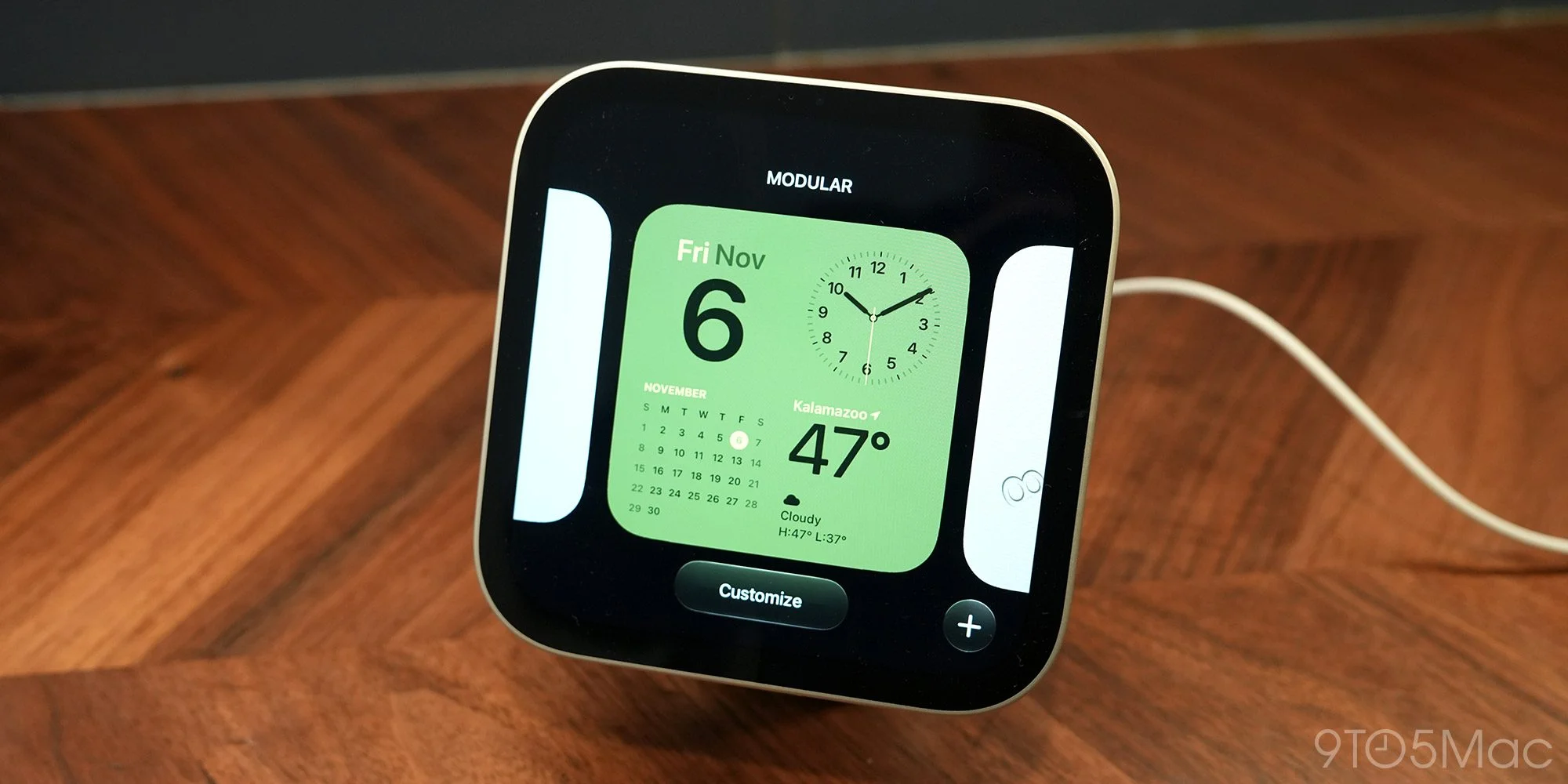
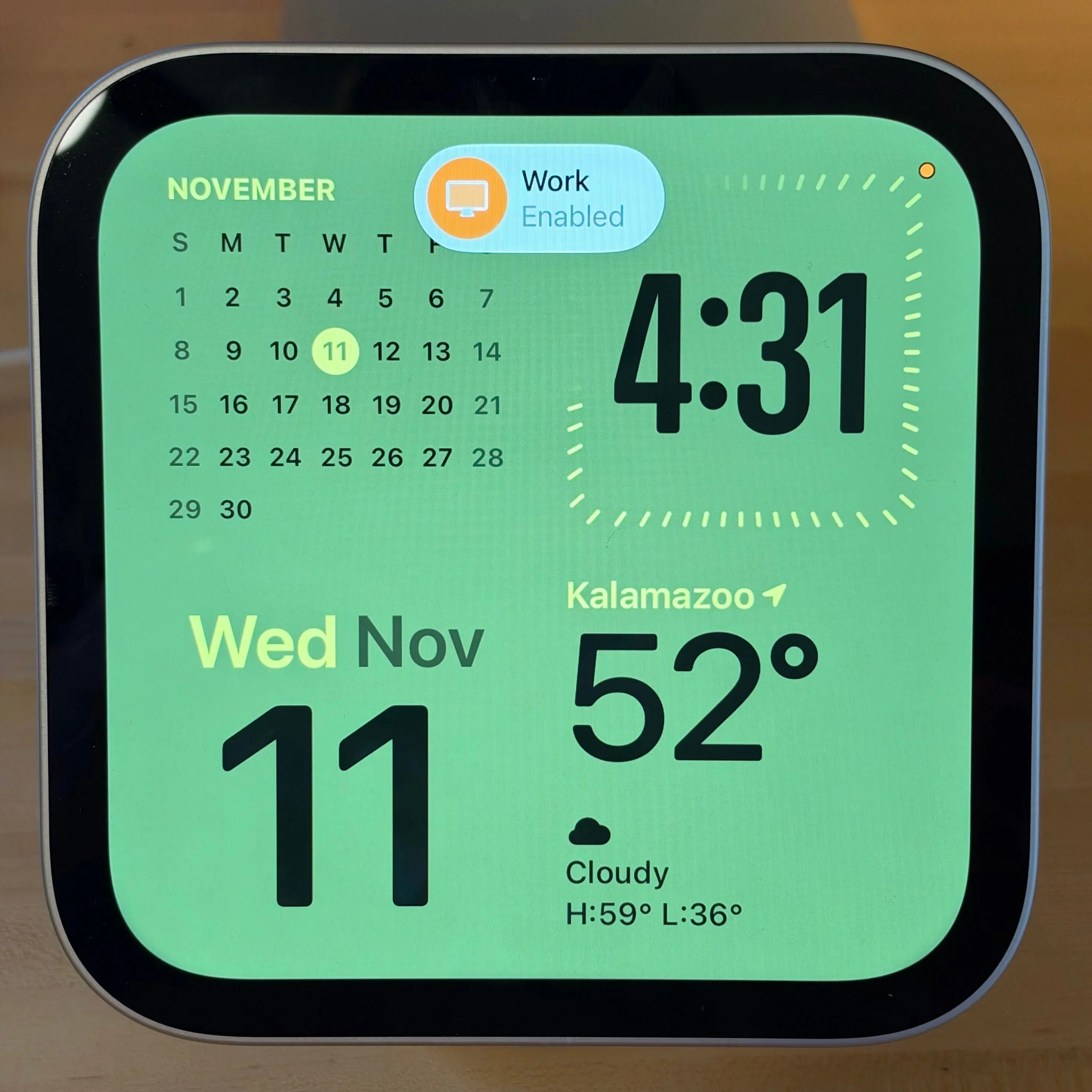
HomeView's software borrows heavily from iOS and watchOS. Everything runs on faces with widgets, much like the complications system on Apple Watch. If you already use an iPhone or Apple Watch, setting up a face will feel second nature.
The face lineup includes:
- Photos: Displays selected photos and collections of people, pets, nature, and more.
- Shared Albums: Automatically displays photos from a shared album, allowing family members to contribute.
- Memories: Shows curated memories from your photo library.
- Flow: Interactive artwork that responds to your movement.
- Analog and Digital: Customizable clock faces with different colors and styles.
- Fade: A clock face inspired by a sundial, with shadows that change throughout the day.
- Calendar: Shows your monthly calendar or upcoming events.
- Weather: Displays current conditions, hourly forecasts, and daily weather information.
- Snoopy: Animated Snoopy and Woodstock scenes that change based on the time of day, weather, holidays, and sports.
- Modular: Customizable widgets that display information from your apps.
- Home Modular: Displays and controls your favorite smart home accessories.
- Home Camera: Shows live feeds from up to nine security cameras simultaneously.
Long-press any face to open a Customize screen that will look familiar to anyone who's set up an Apple Watch. You can change the style, color, widgets, and background, and you can add widgets from your nearby iPhone. Apple says widgets are visible to everyone, but widget content only appears while your primary device is at home. That's a sensible privacy line, but it means some widgets may show nothing when you're away.
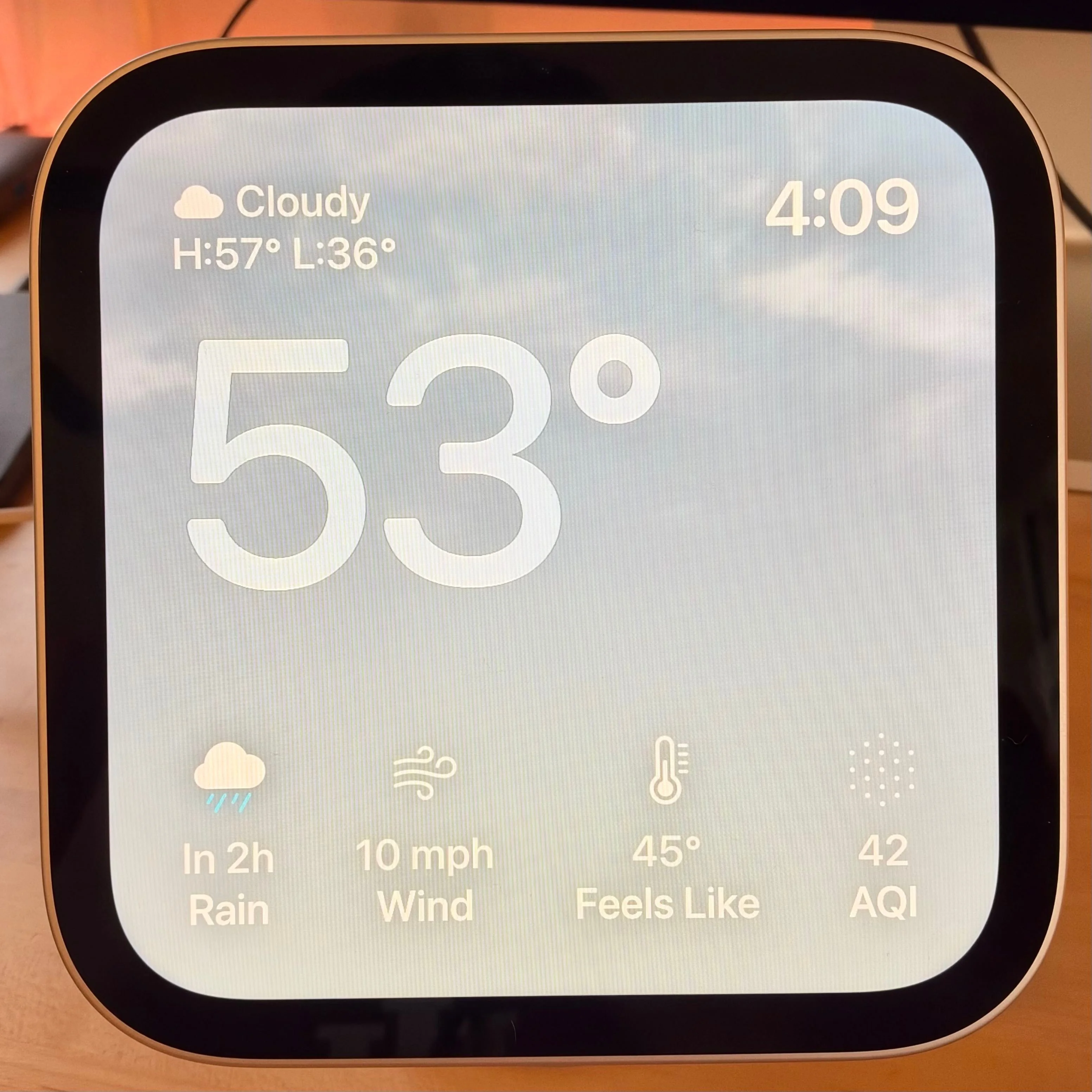

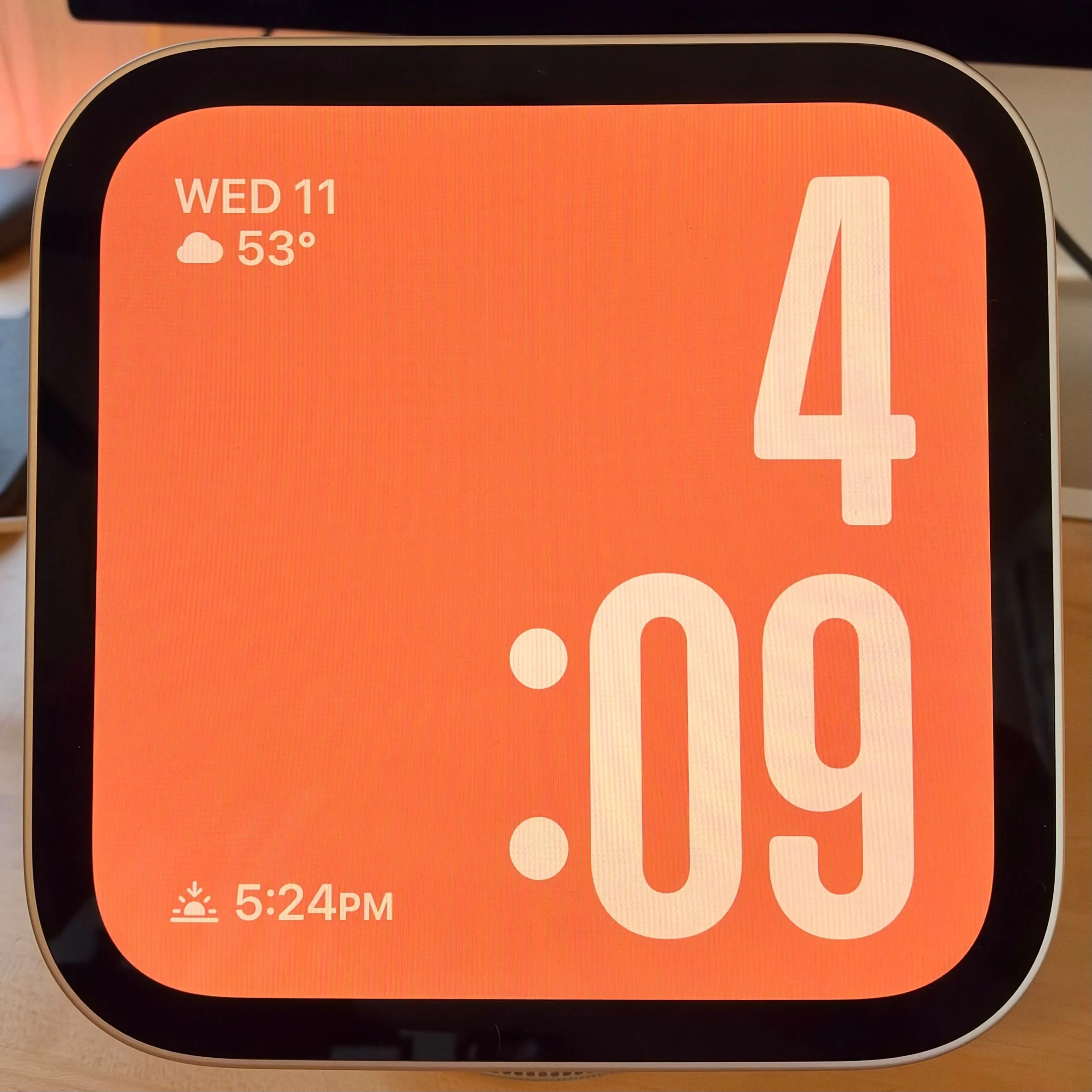
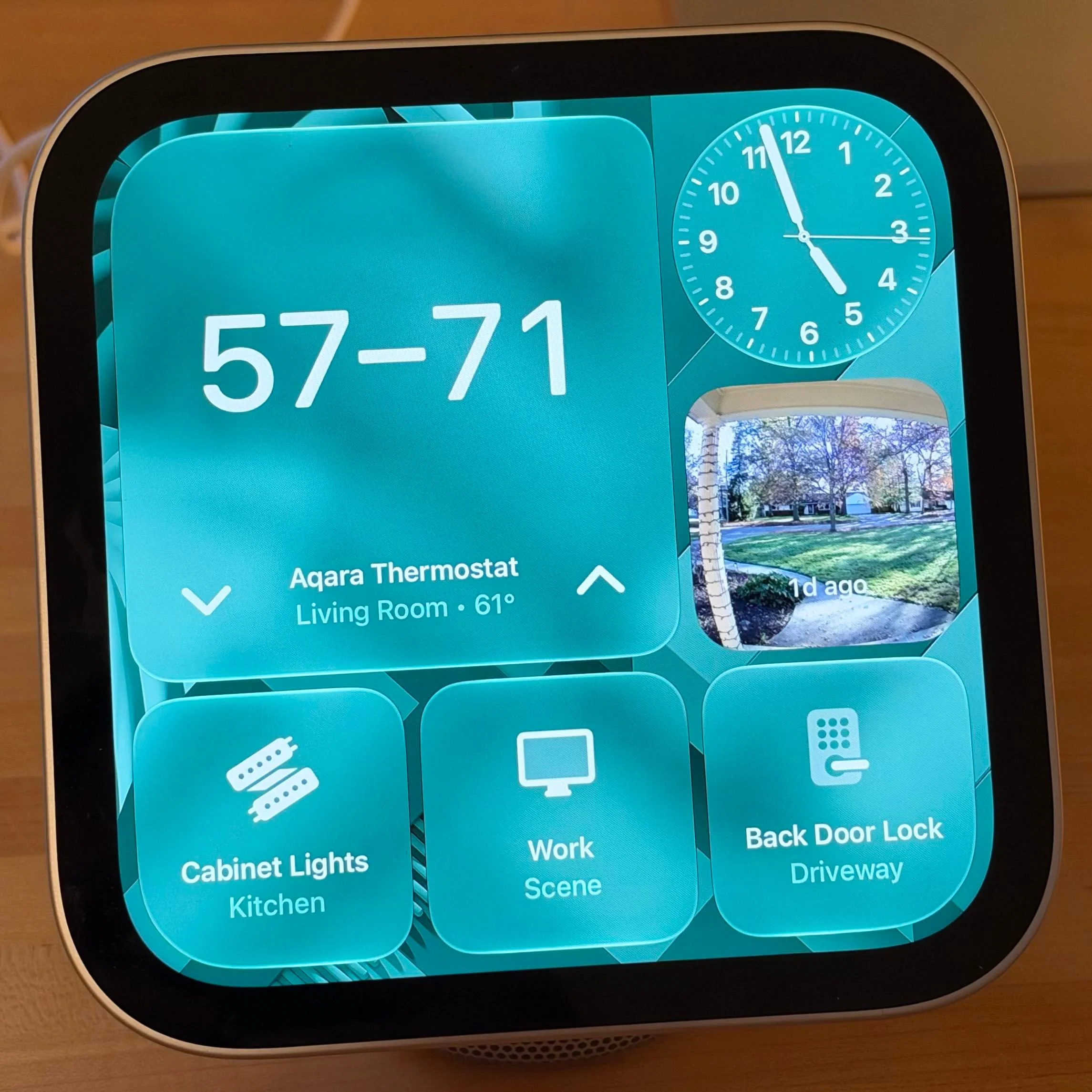
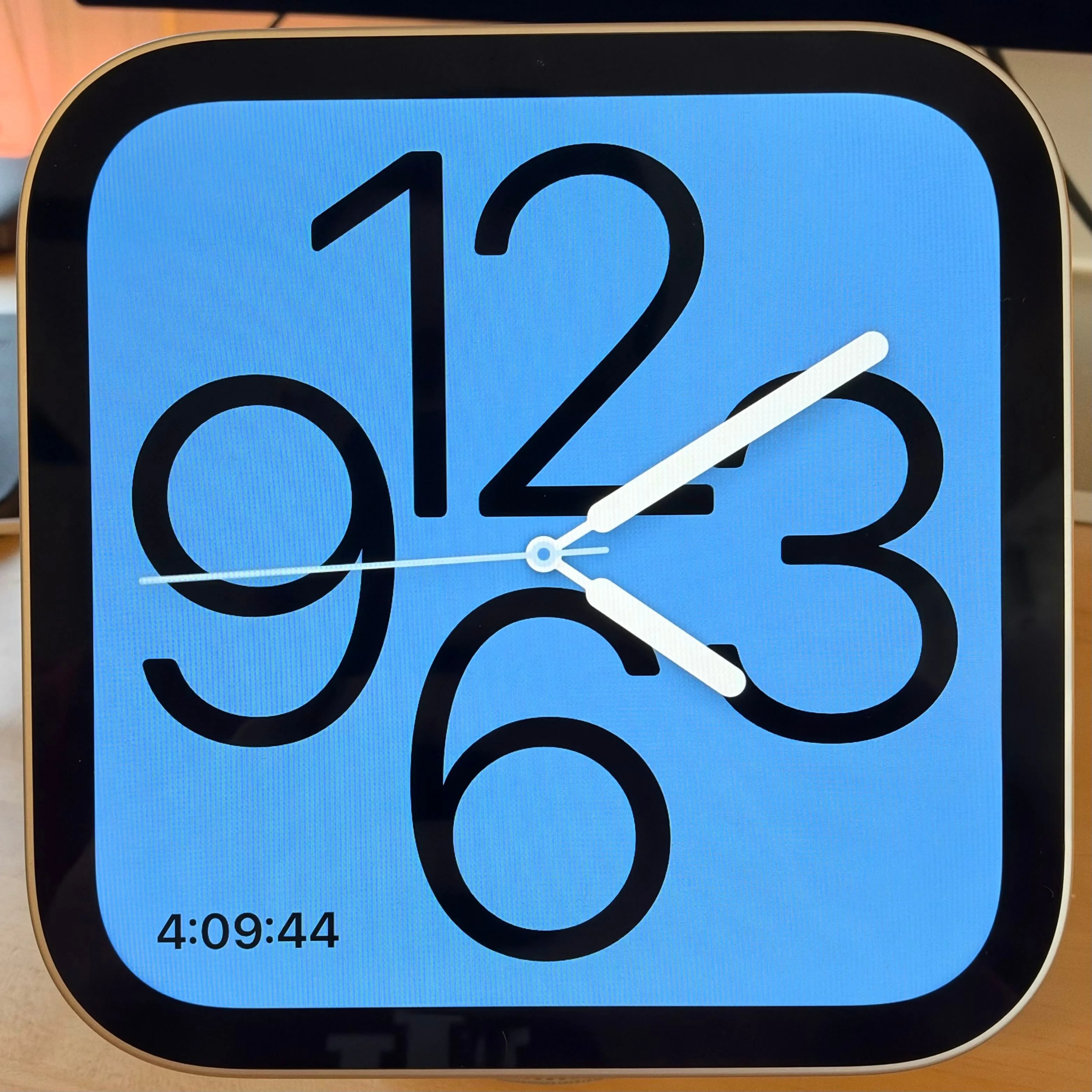
The Modular face is my favorite. It places four equal square widgets on screen, which gives you glanceable information without feeling crowded. The Photos face is a delight, too, effectively turning HomeView into a digital picture frame. Shared Albums support is especially good, since family members can add photos without anyone having to set anything up on the display.
I think Apple got the core decision right by organizing HomeView around faces instead of a traditional app-first interface. Most of the time, it's sitting on a counter or table, and you're not touching it. The faces system means it rarely demands your attention. It's there when you need it and otherwise blends into the background, which is exactly what a device like this should do.
Navigation is gesture-based. Swipe down from the left two-thirds of the display to activate Siri AI. Swipe down from the top right to open Control Center, which, annoyingly, can't be customized. Swipe up from the bottom to reach the Home Screen, with its grid of apps and spots for more widgets.
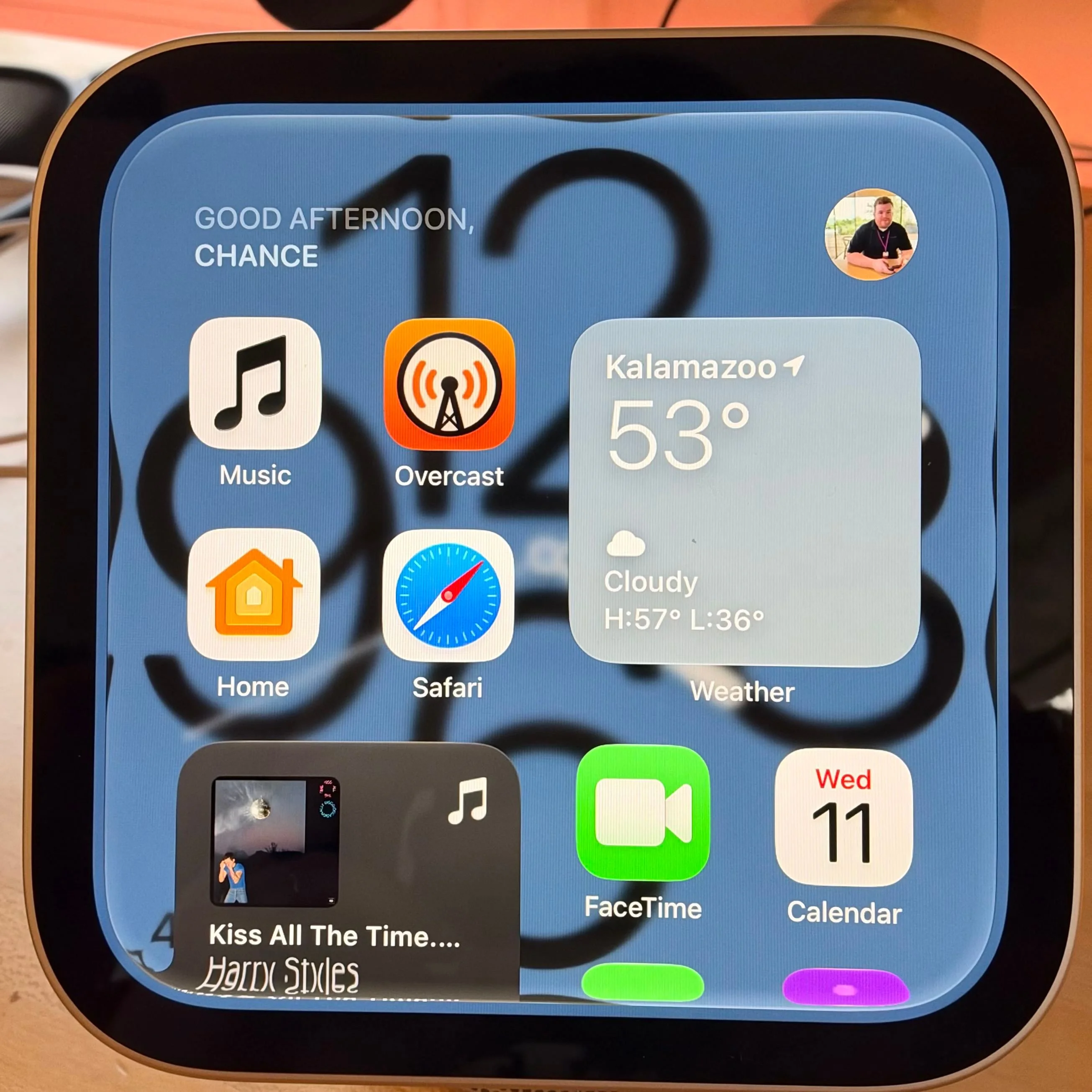
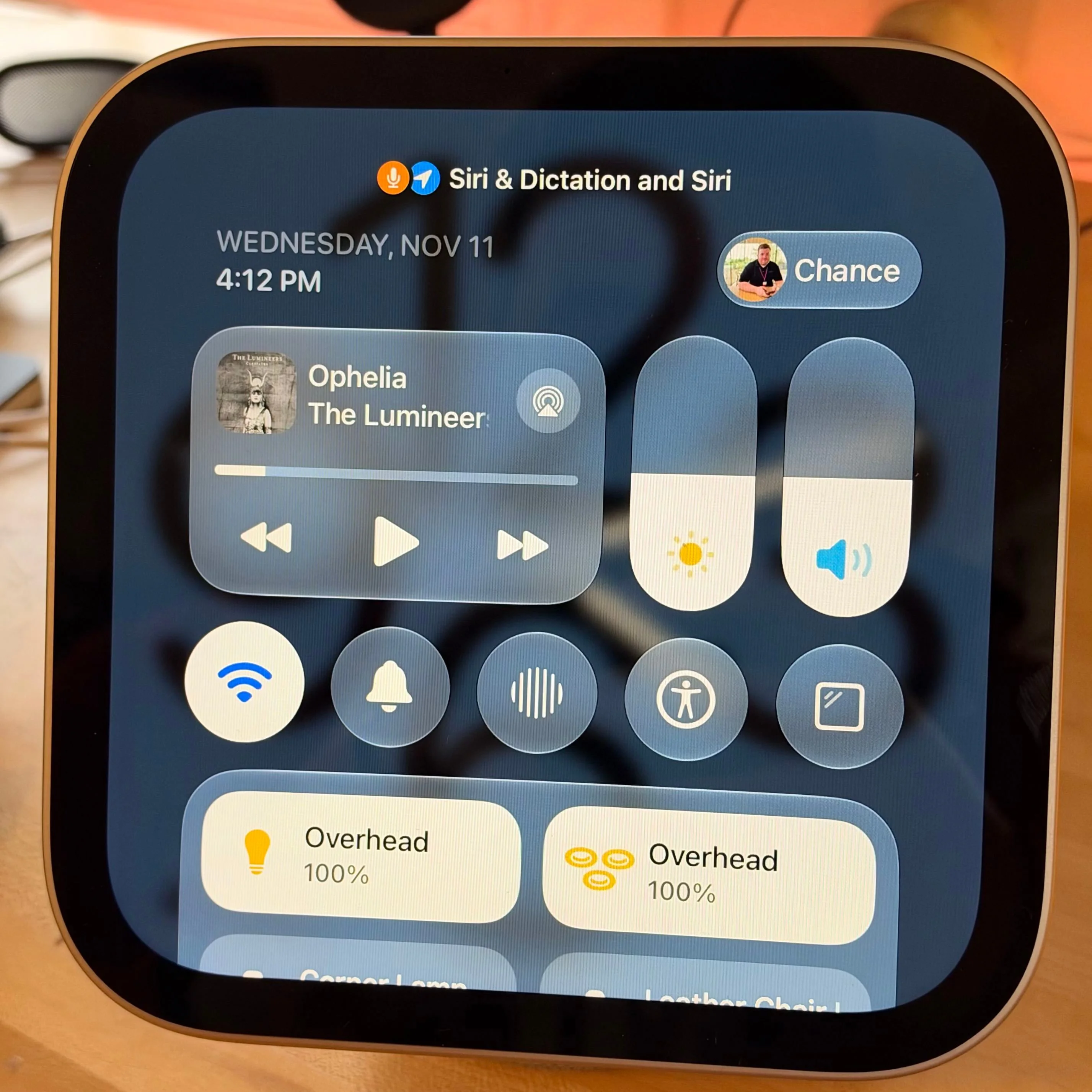
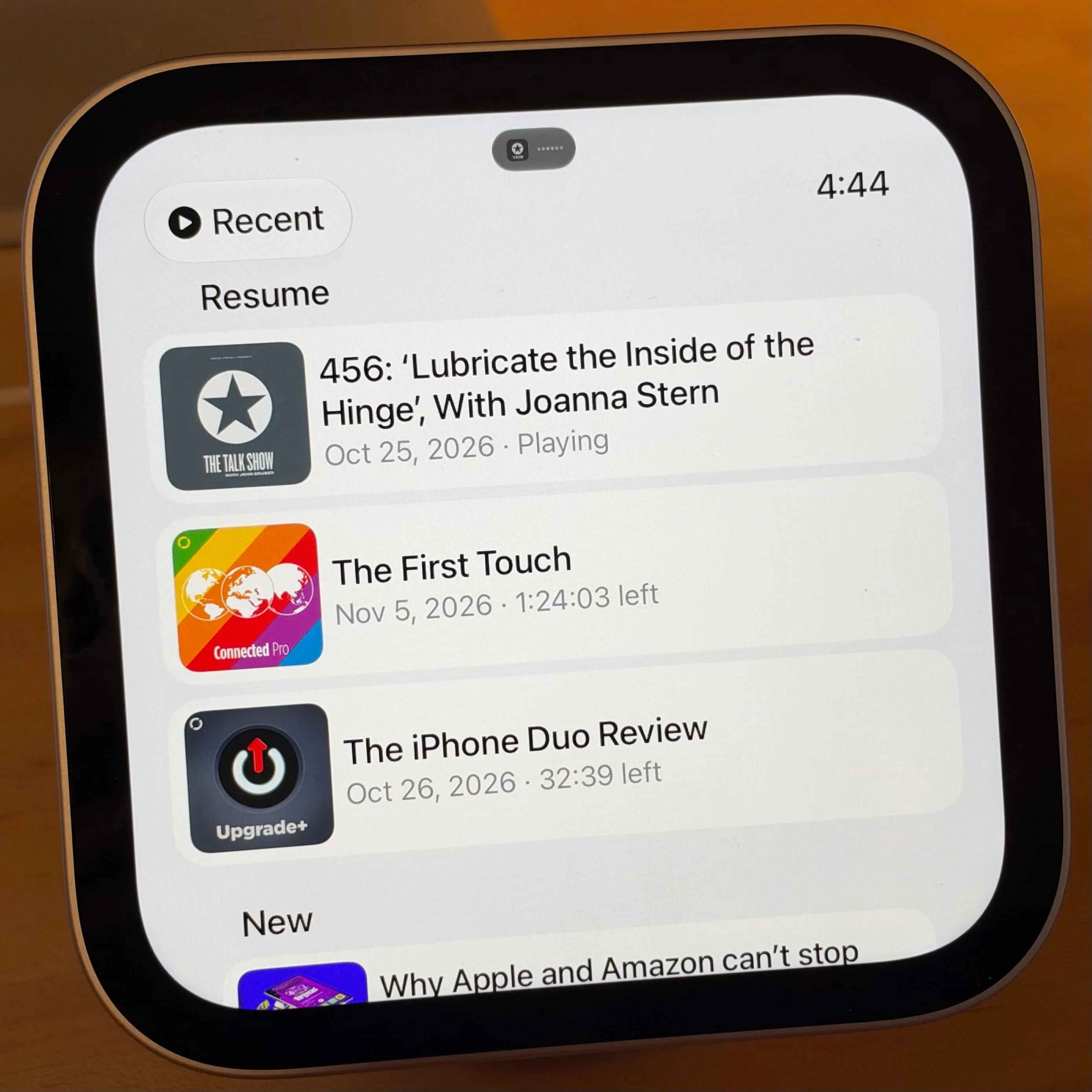
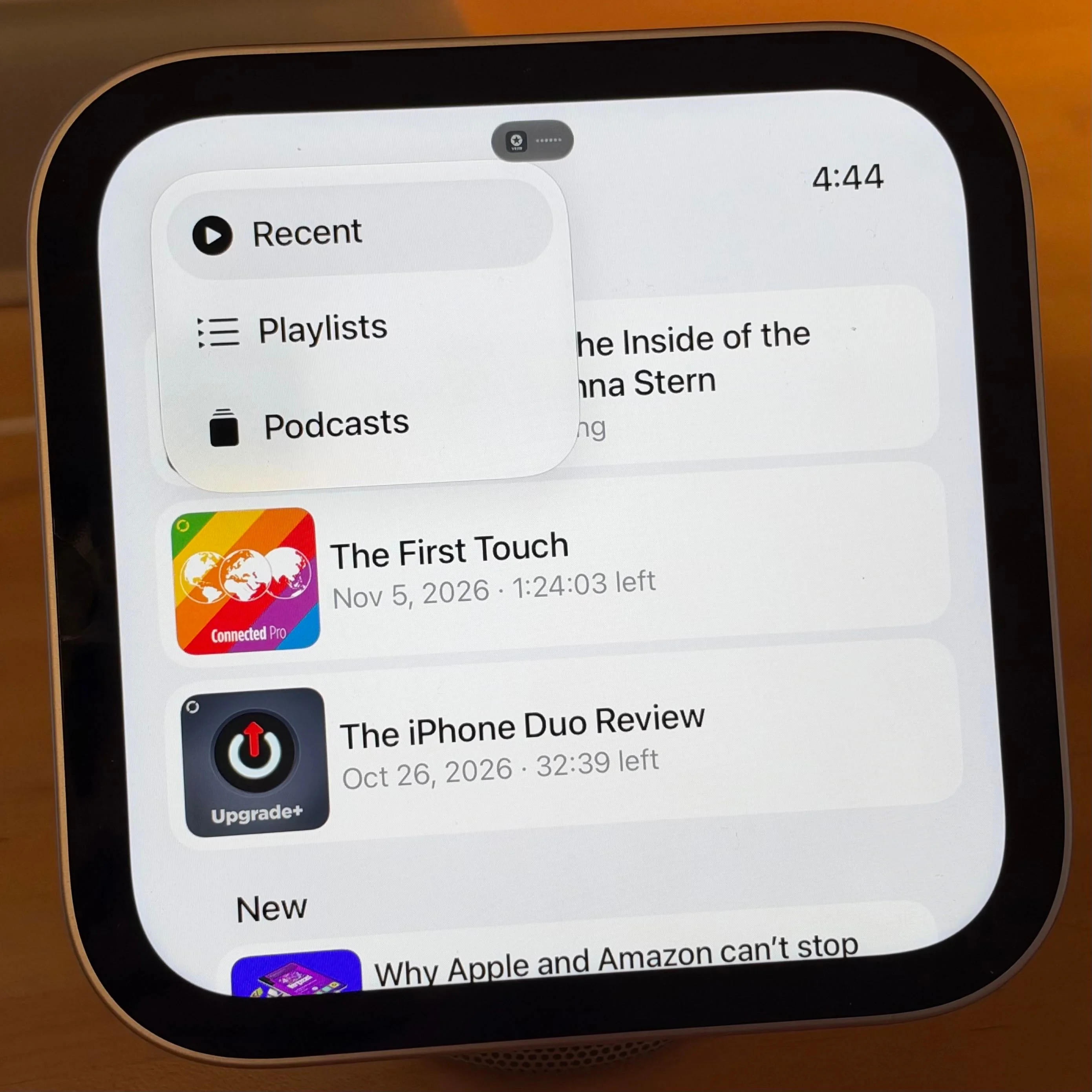
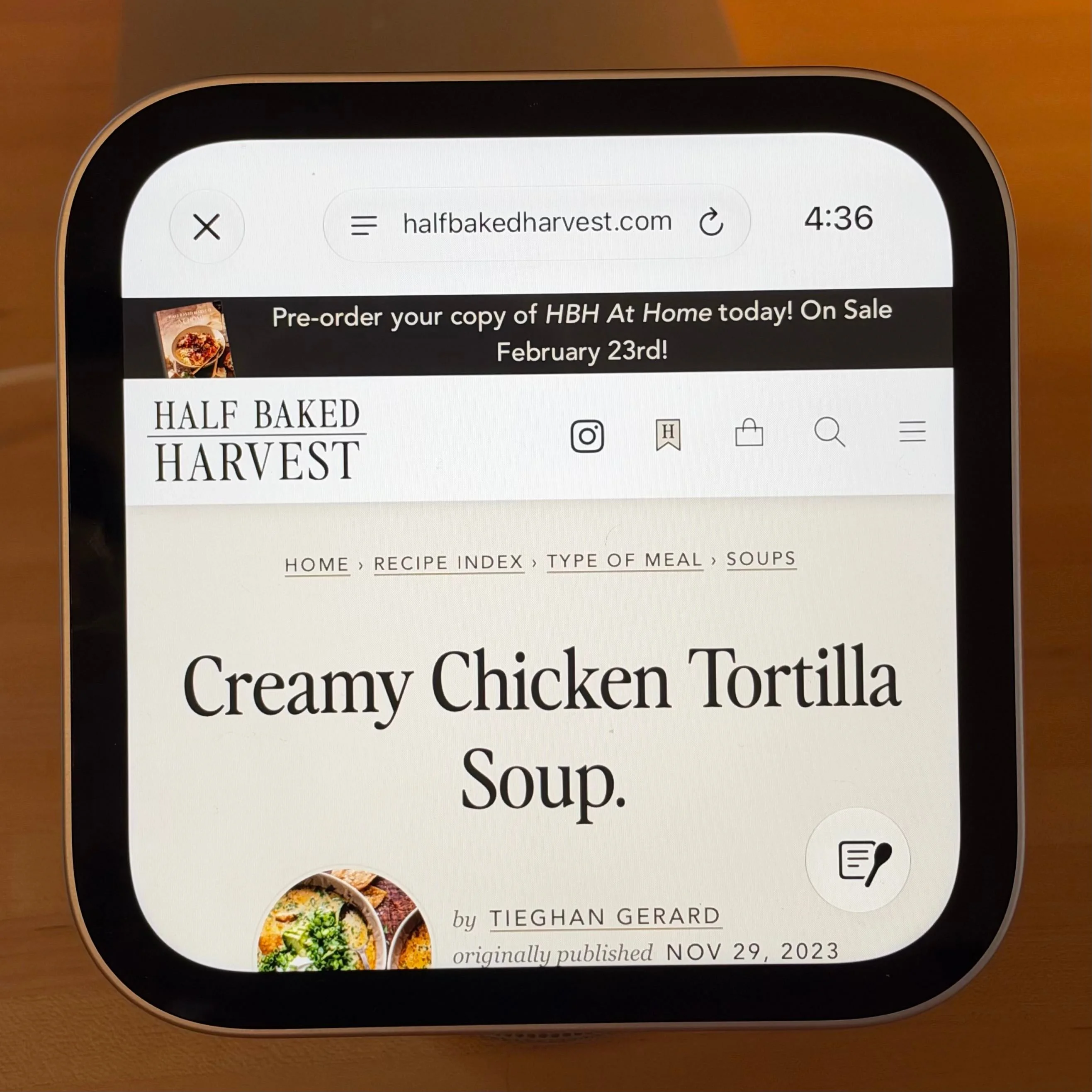
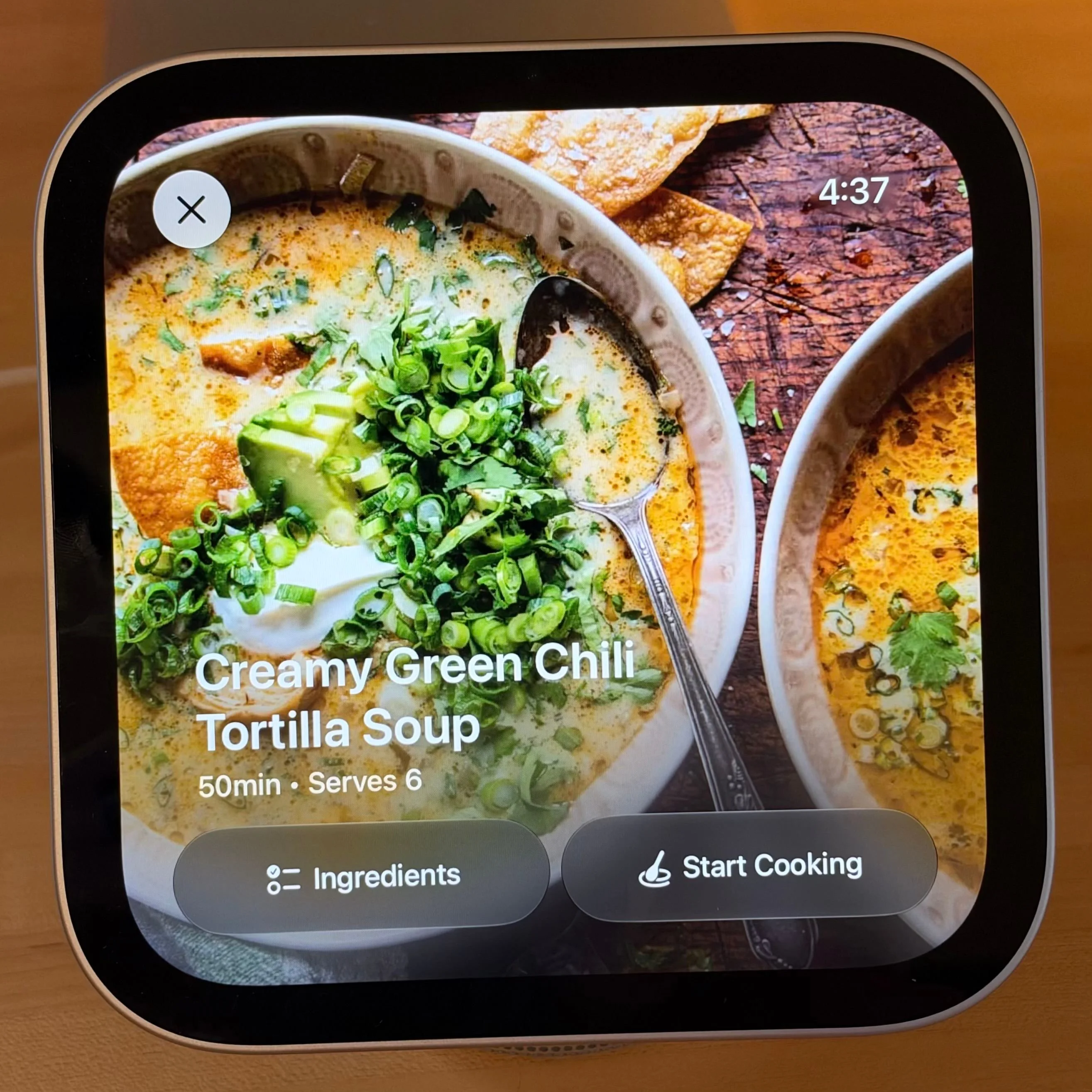
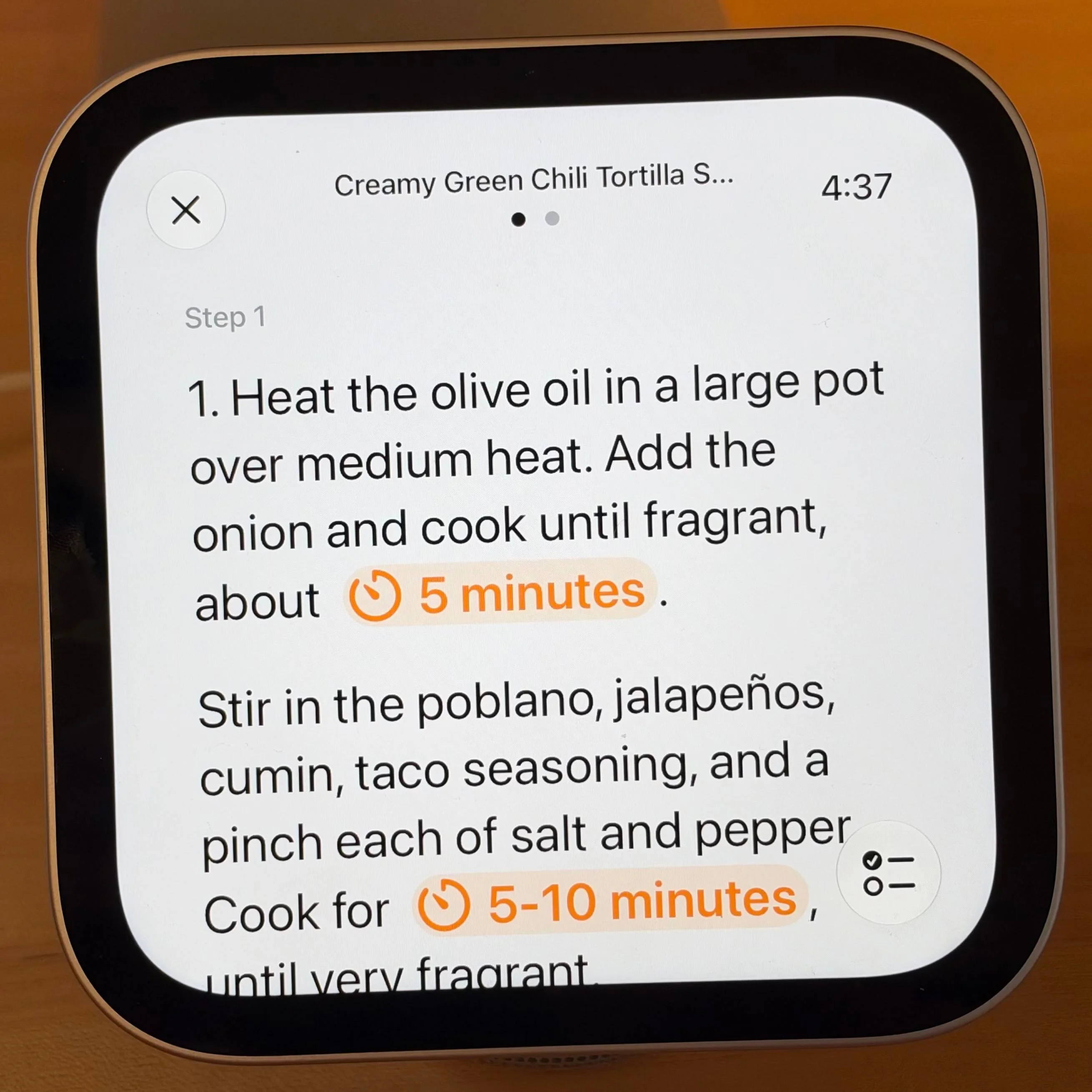
There's no App Store on HomeView. Instead, you get a set of built-in Apple apps, plus audio and video apps that run through its CarPlay-based app system. The Apple apps available on HomeView are:
Out of the box, HomeView ships with 18 built-in apps: Home, Music, Safari, FaceTime, Calendar, Podcasts, Messages, Intercom, Weather, Find My, Reminders, Timers, Alarms, World Clock, Audiobooks, News, TV, and Settings. That's a reasonable starting set for a kitchen display. It's also a list that shows what's missing, and the gaps matter more than the inclusions. I'm hopeful Apple builds out the app story for HomeView soon. I don't think it needs its own App Store. It does need more apps, both from Apple and from third parties. The biggest omission for us is Notes. My wife and I keep recipes and dinner ideas there, so having Notes on the display would be genuinely useful. Right now its absence feels like an oversight. HomeView also needs a dedicated Photos app, which would make sense for a device that sits in the middle of a household.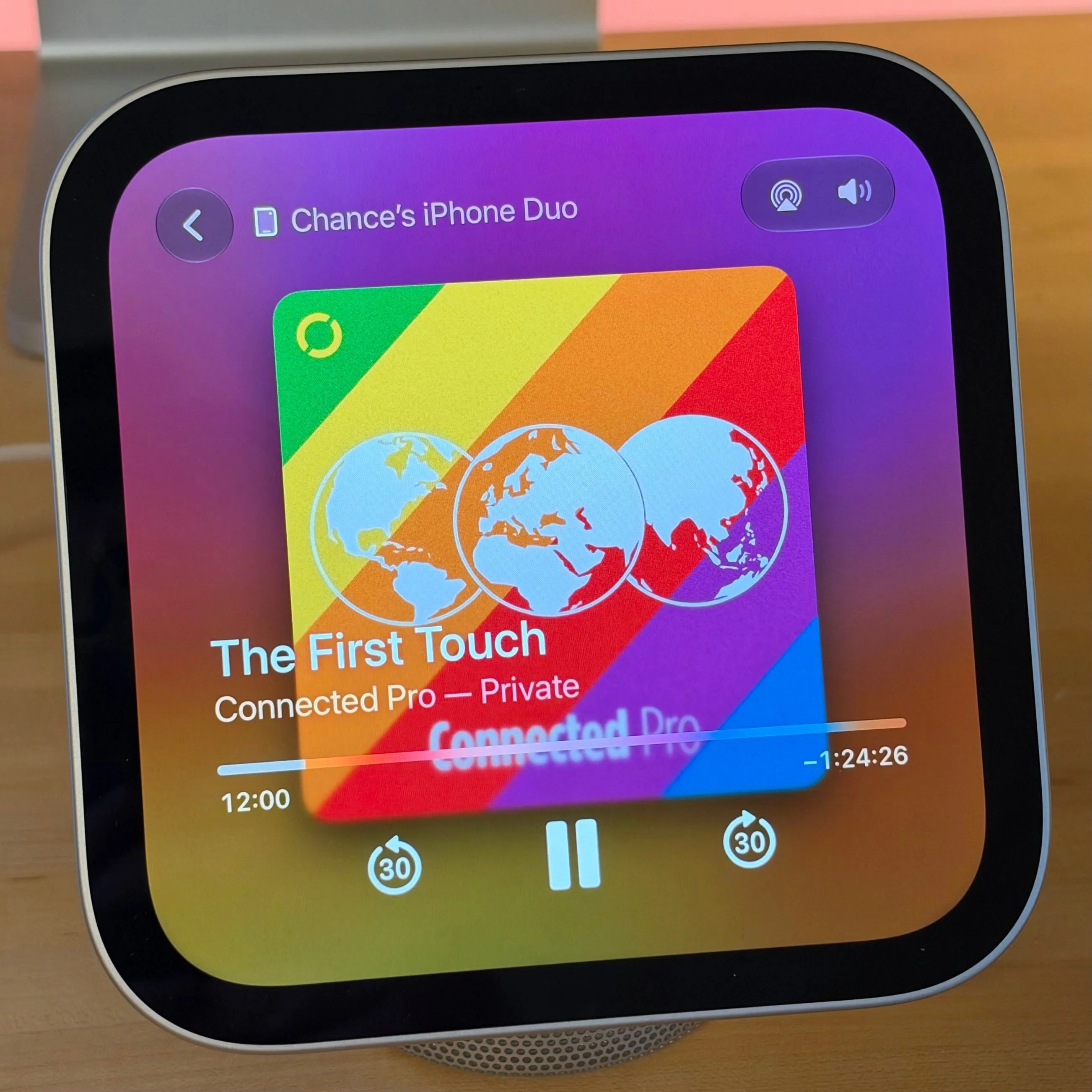
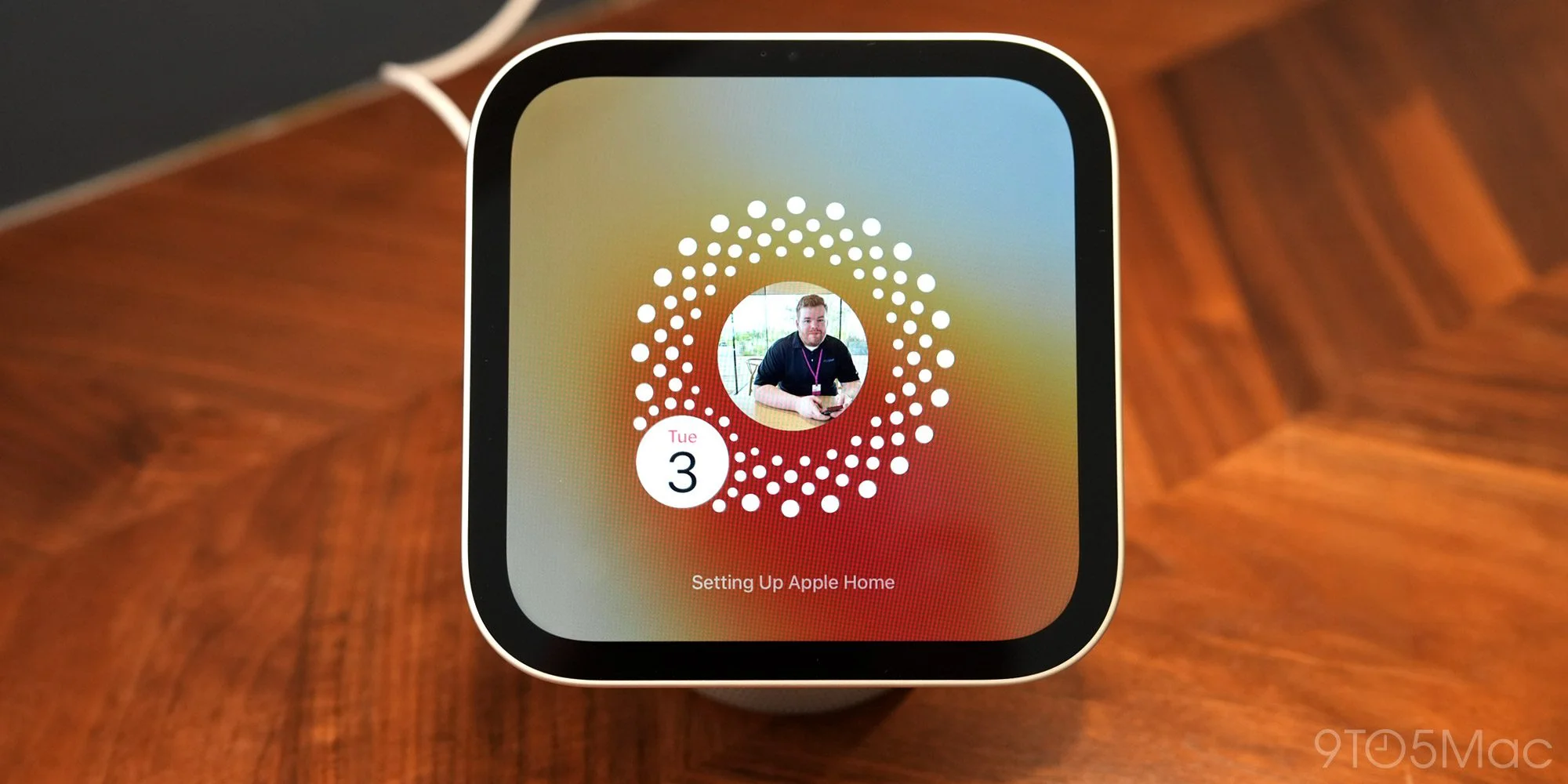
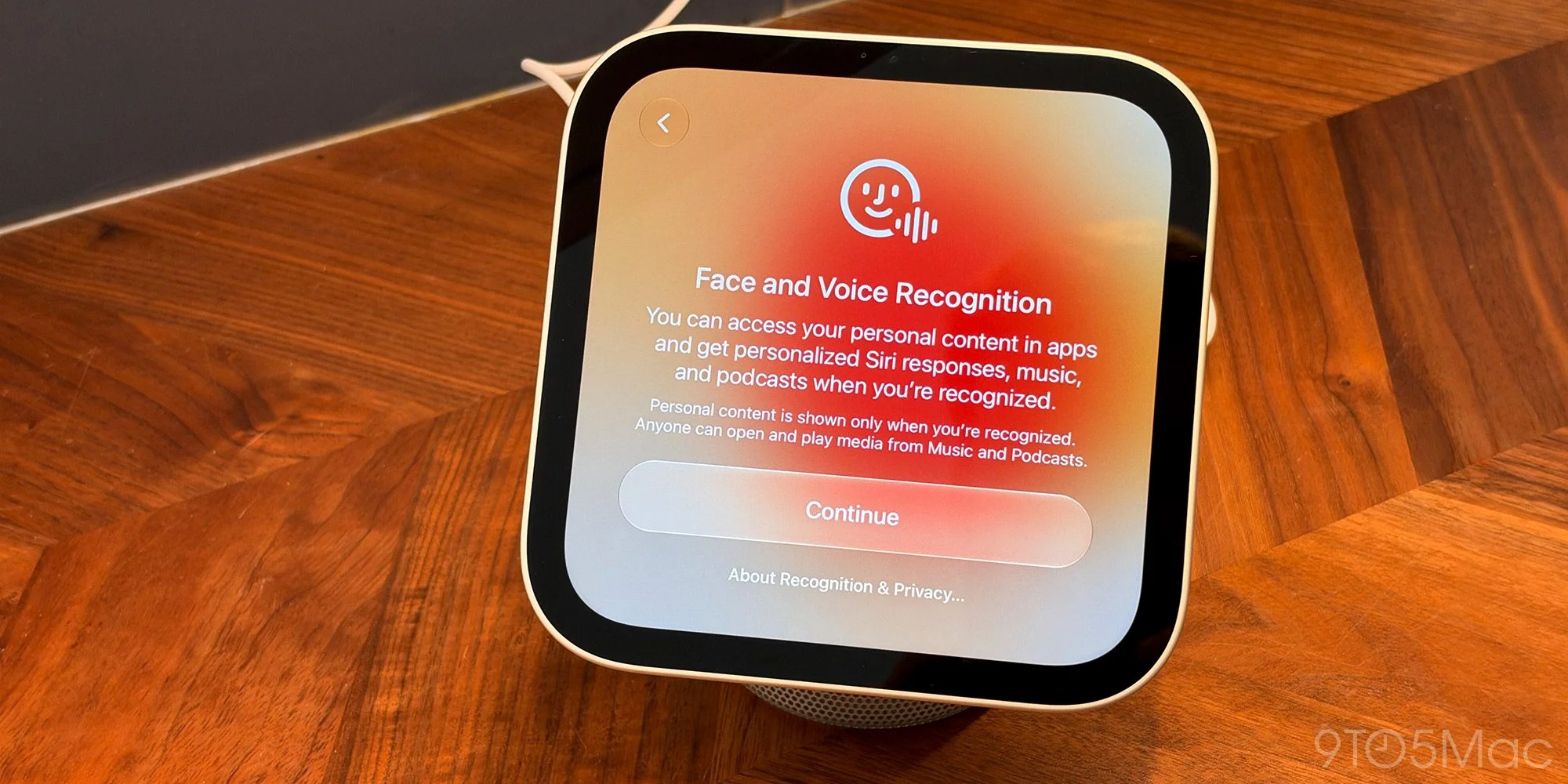
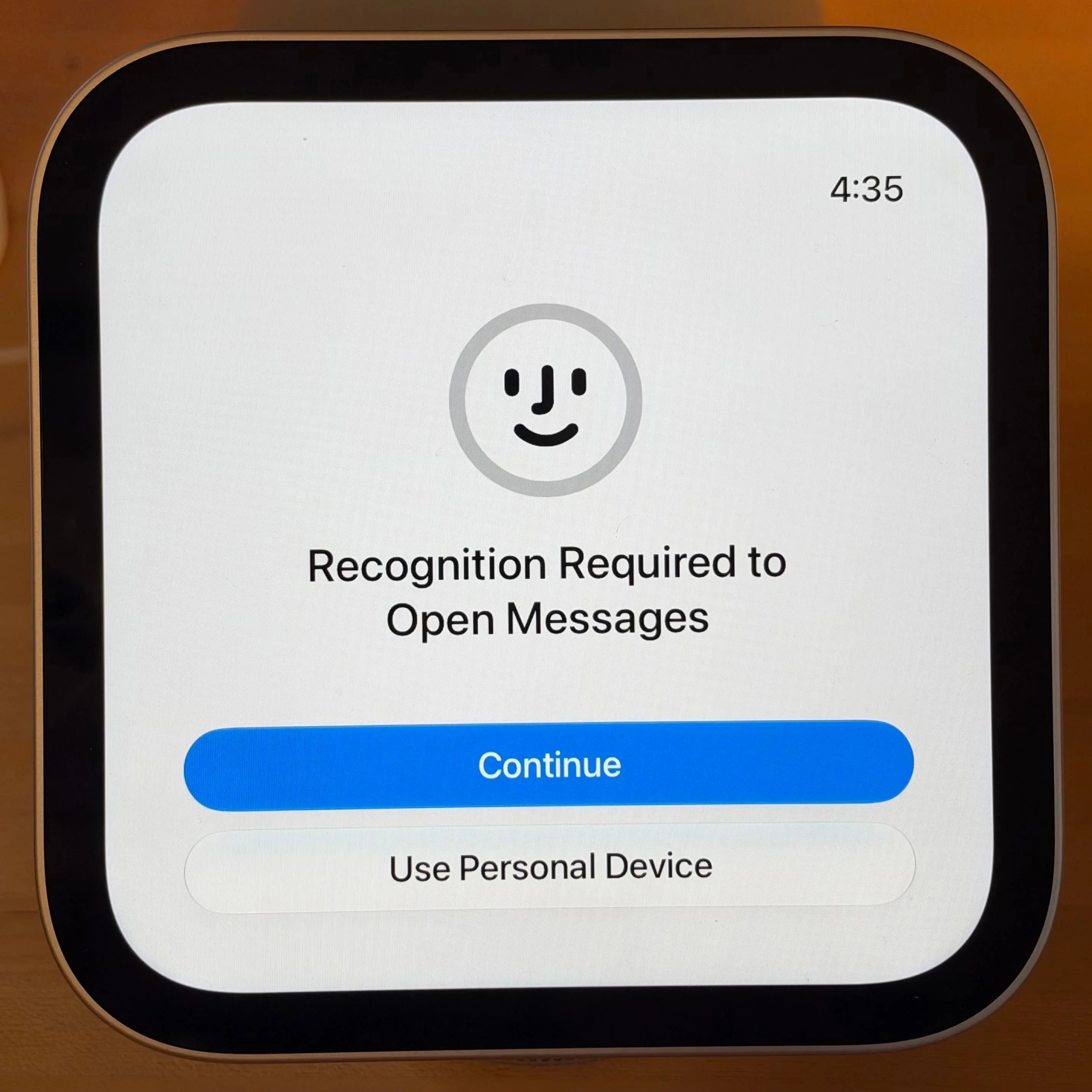
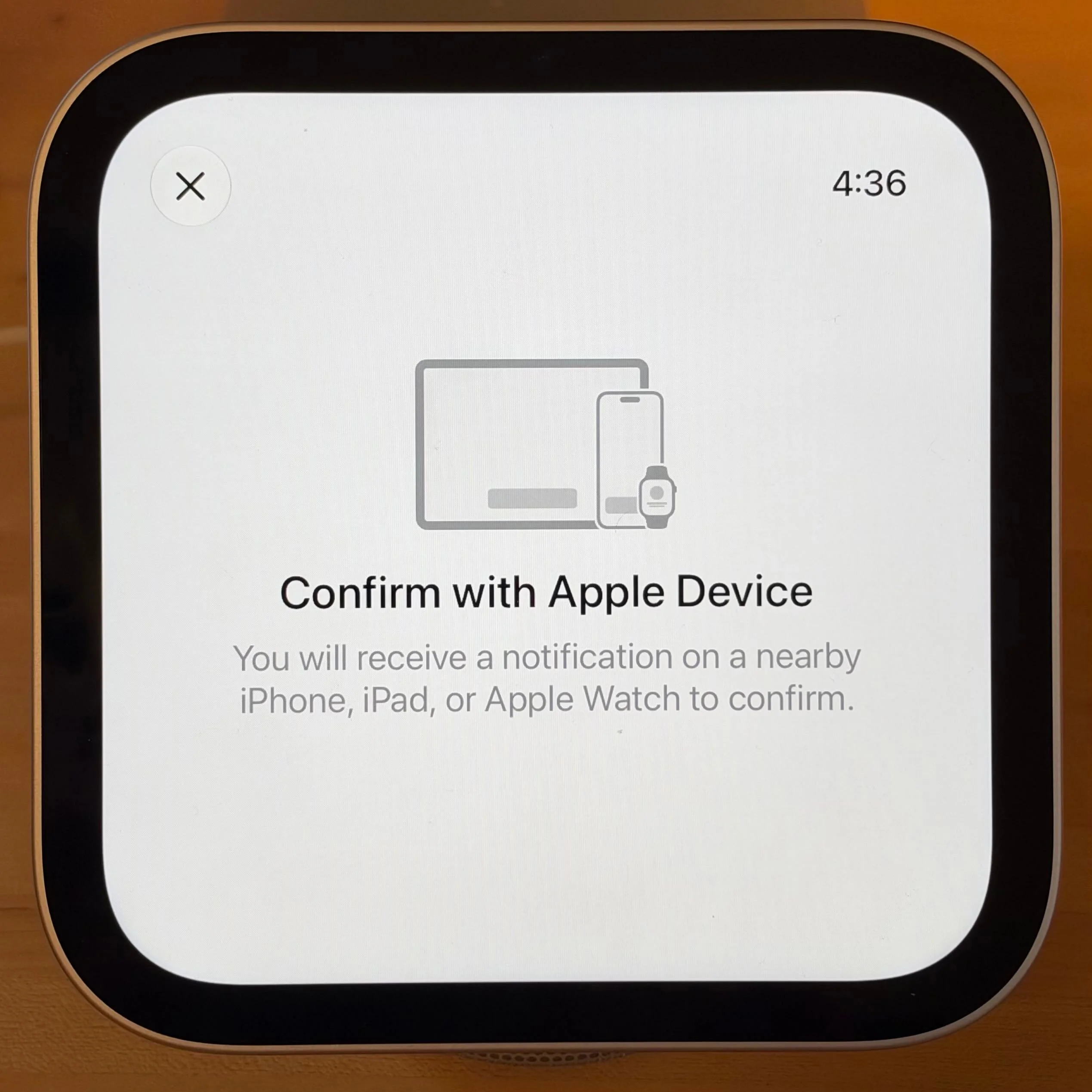
Multi-user support
Siri AI
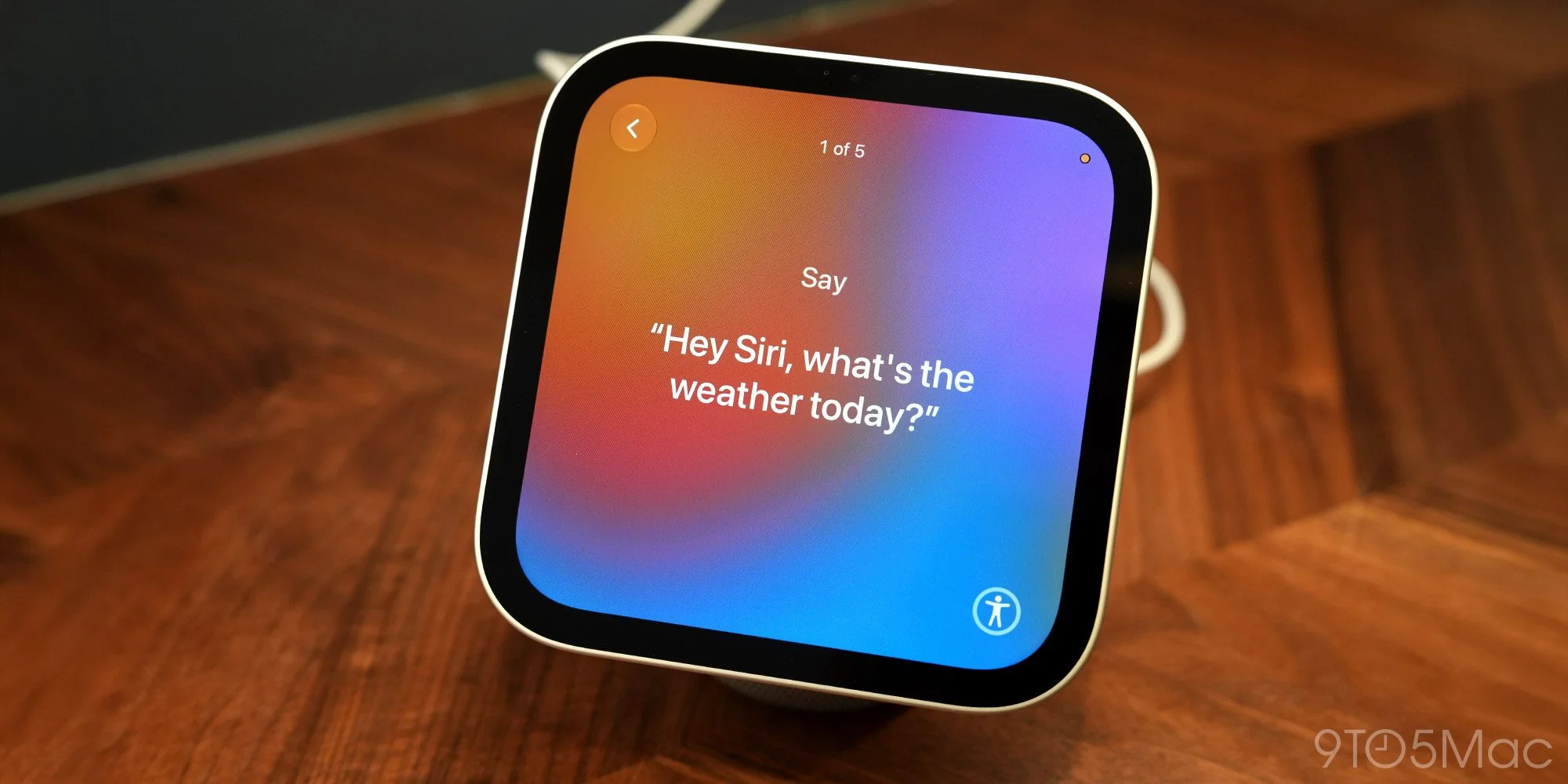
HomeView runs on Apple's A18 chip, which is what enables Siri AI. Siri AI doesn't behave the same way here as it does on other Apple devices, though. For general knowledge questions, HomeView doesn't need a paired iPhone or iPad. These are the trivia questions everyone has barked at voice assistants for years. The difference is that Siri AI actually gets them right, which old Siri rarely did. The display improves the experience further, since answers often come with images or other visual context. Personal context is different. Using it on HomeView requires an Apple Intelligence-enabled iPhone or iPad in the house. Apple says that device needs to have been unlocked recently and be on the same Wi-Fi network as HomeView. That dependency is easy to miss on paper, and it's less of a problem in practice. In 10 days of testing, I never hit a case where HomeView couldn't answer a Siri AI question because my iPhone was unavailable.Siri AI is the reason HomeView earns a spot on the counter, and it's a bigger leap than I expected. I've used it since it debuted in September, and next to the old Siri it feels like a different product. That improvement carries over to this device.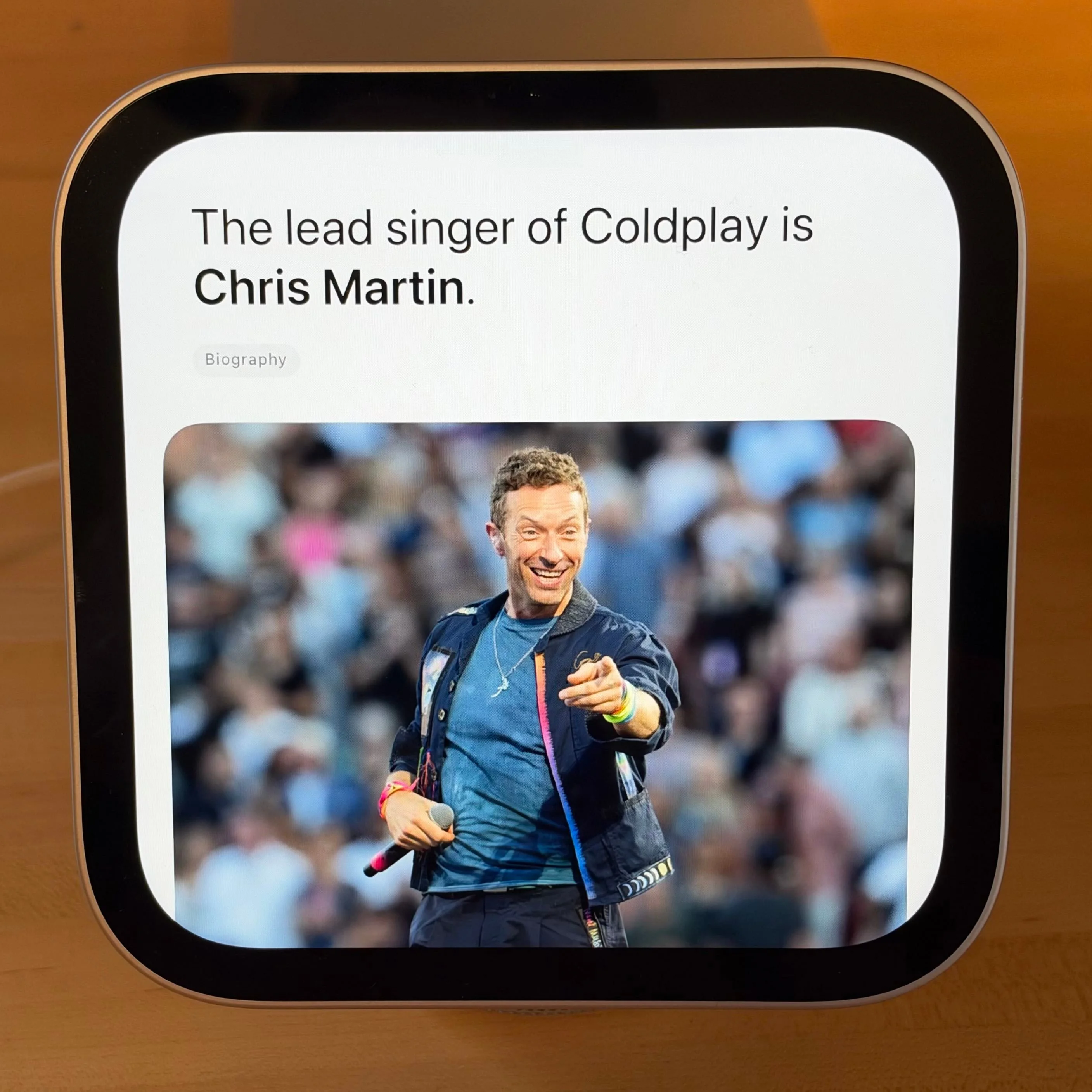
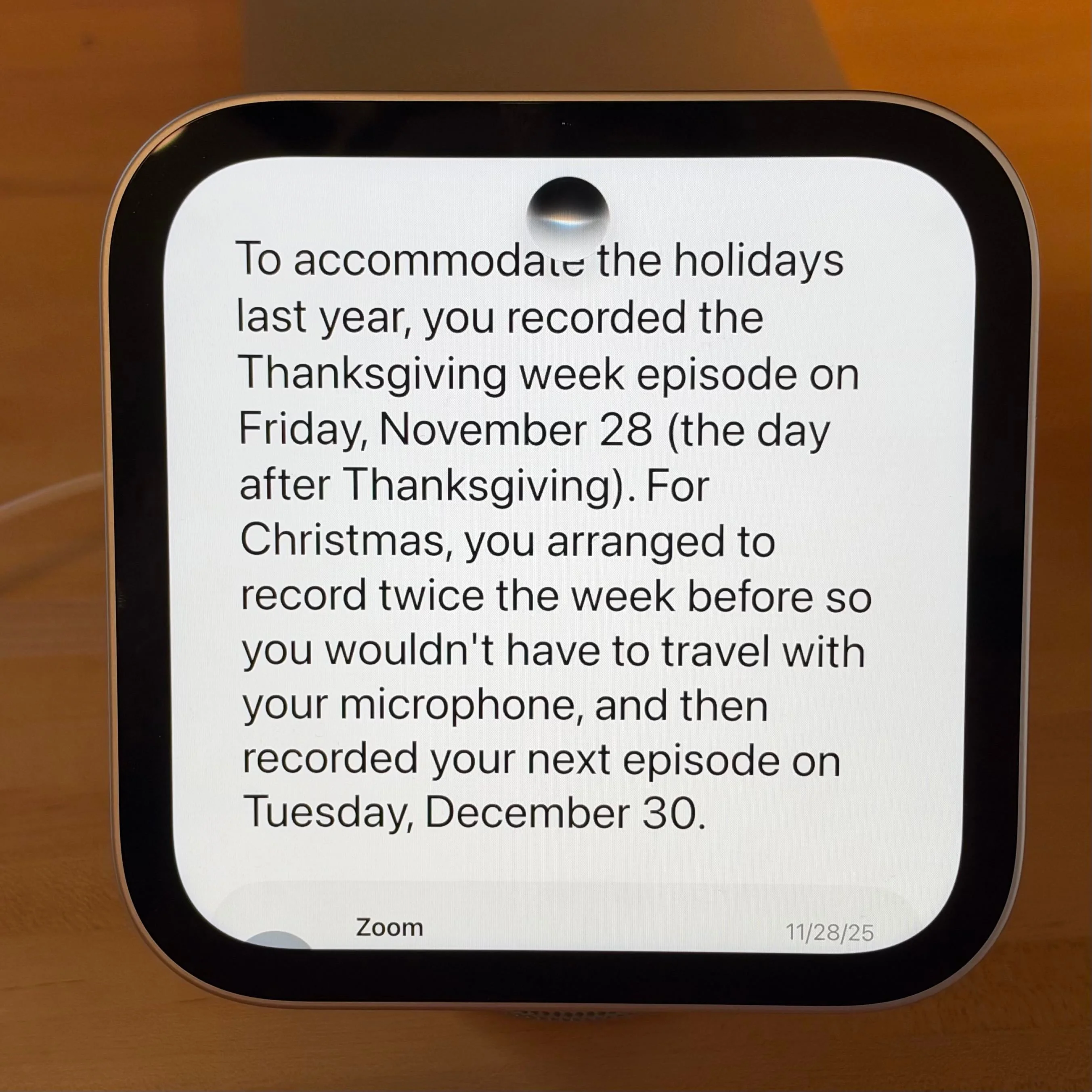
 Most of the personal-context questions I'd ask my iPhone now work on HomeView too. The form factor is the real win. When I'm cooking or juggling three things, I don't want to dig out my phone or hope it's within earshot. I just ask the counter.
The answers have been solid. It handled these without a hiccup:
- How did Benjamin and I adjust our Happy Hour recording schedule last year to fit Thanksgiving and Christmas?
- When does the Noah Kahan pre-sale start, and has Ticketmaster sent me a code or link yet?
- The last time I was in Cincinnati, where did we eat dinner?
- Which days did I arrive in and leave Indiana for Christmas last year?
- What was the soup recipe we made last winter and loved?
Speed is the trade-off. HomeView is a few seconds slower than my iPhone Duo on personal-context questions, every time. It's not a dealbreaker, but you notice it. My guess is that HomeView hands the request to the iPhone, which adds a step that direct iPhone requests skip. Apple hasn't confirmed that, so treat it as my read.
Siri AI still has bad days. Sometimes HomeView hangs and never responds. Other times it returns some version of "Sorry, try again later." That stings more here than on a phone, because your voice is the main way you interact with the thing. When it fails, you're left staring at a device that's supposed to be listening.
## Smart home control
HomeView can also run your smart home. It has a dedicated Home app, several Home-focused face options, and Siri can control HomeKit accessories and scenes by voice.
Nothing about this is remarkable. It mostly mirrors the Home app on your iPhone, just in one shared spot that everyone in the house can reach. For a household, that's the appeal, even if it isn't new.
The real gap is security. You can't use Siri AI on HomeView to control locks or garage doors individually, even though the device recognizes you. Scenes are the workaround. Ask Siri to set a scene and the locks included in it will lock, which works. But "Hey Siri, lock the front door" gets nowhere. You have to open the Home app.
Apple [told Joanna Stern](https://www.youtube.com/watch?v=yVTcVtLn2o4) that a software update arriving next month will add security accessory support to HomeView's Siri AI. If that ships as described, the gap closes. Until then, it's the first thing you'll bump into.
I also wish Apple would do more with the hardware. HomeView has a built-in camera, so why can't it handle motion sensing or act as a HomeKit Secure Video camera? That's an obvious use the device seems built for, and it's missing.
In practice, I use the screen mostly to check on things: whether the door is locked, or what the doorbell camera shows. For actually controlling accessories, Siri and automations are still easier. HomeView hasn't changed that. I do like adjusting the thermostat from the kitchen counter, though.
## Is $299 worth it?
HomeView costs $299, about $100 less than rumors suggested. That's a reasonable price. The question that matters is whether you'll use it every day.
That's where HomeView differs from an iPhone. You know what an iPhone is for before you buy one. HomeView looks great on the counter, and it's a very, very cute little thing, but it takes time to figure out where it fits in your life.
I wasn't sure I'd use it. Ten days in, it's gone from a nice-to-have to something I rely on several times a day. My partner's first reaction was that it's cute but she didn't know what she'd use it for. Over the past week, she's said more than once how much she likes it.
Part of the appeal is small stuff. You can glance over and see how much time is left on a timer. The album art animates when a song plays. The Photos face is fun. None of these would justify the price alone, but together they make the thing feel like it belongs.
I moved HomeView to my office for a day to test features more deeply. That night, while cooking dinner, we both kept shouting Siri commands at the empty spot on the counter where it used to be. That's the clearest sign of what makes this device work.
You don't need to be a HomeKit enthusiast or spend weekends building automations to get value from it. It's built for the whole household, and it gets more useful the longer it's part of your routine. The next test is whether the security accessory update closes the lock gap. If it does, the case for HomeView gets much stronger.


