10 Essential iPhone Tips for Enhanced User Experience
Apple's iOS has evolved into a multifaceted ecosystem that continues to reveal hidden functionalities, often unnoticed by even seasoned users. With the latest variations, particularly iOS 26 and beyond, several remarkable features can significantly enhance user experience, productivity, and privacy. Professionals in the tech space should consider how these capabilities can be leveraged or recommended in development and user training contexts.
Transform Apps into Functional Widgets
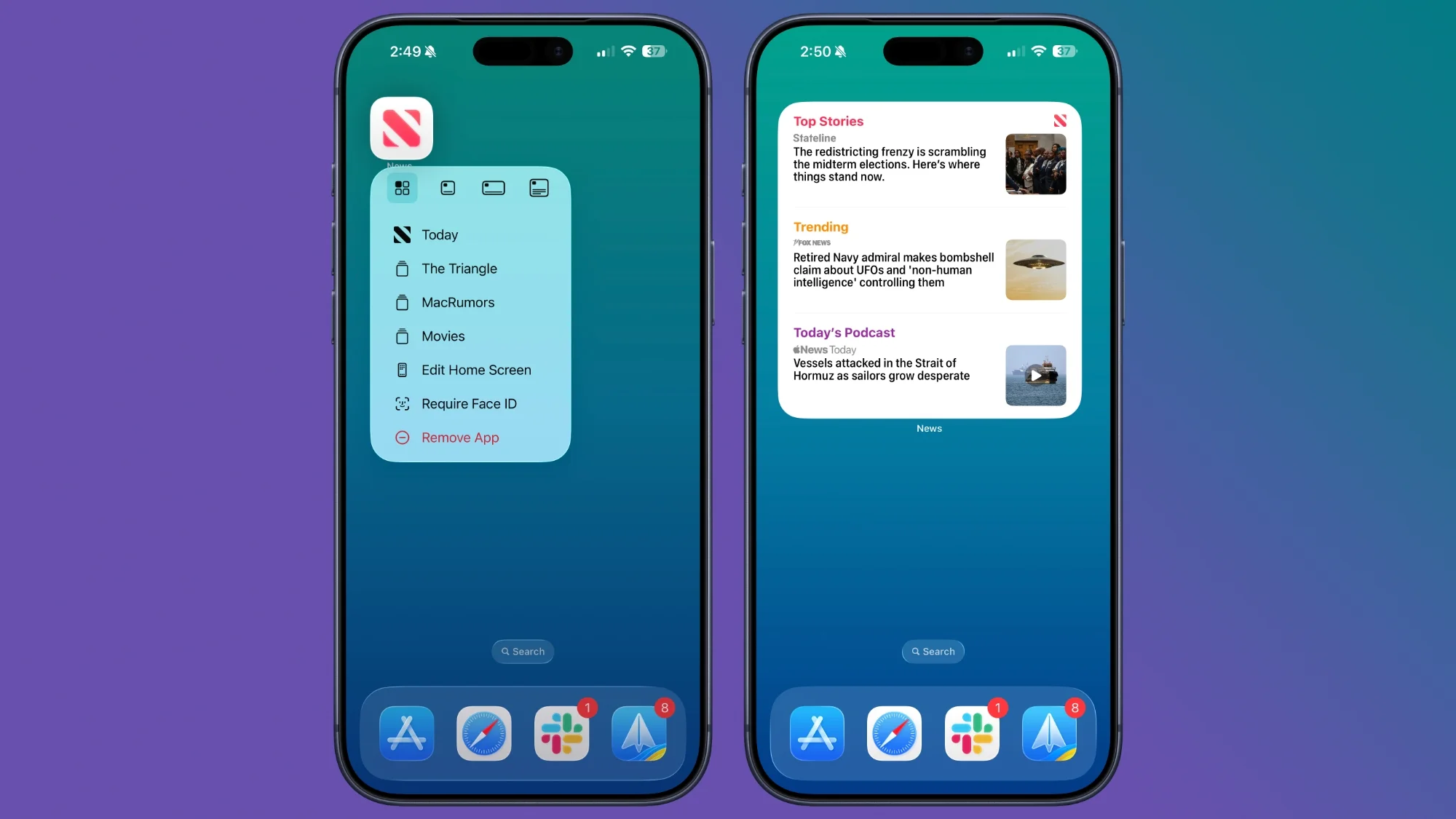
The ability to convert app icons into widgets directly from the Home Screen is a recent feature that merits attention. By performing a long press on an app icon, users can choose various sizes of widgets—whether for Apple or third-party applications—effectively personalizing their interface. This shift towards more interactive home screens aids in better accessibility and a more customized user experience. It demonstrates Apple's focus on enhancing user engagement through UI flexibility.
Location History: A Strategic Tool
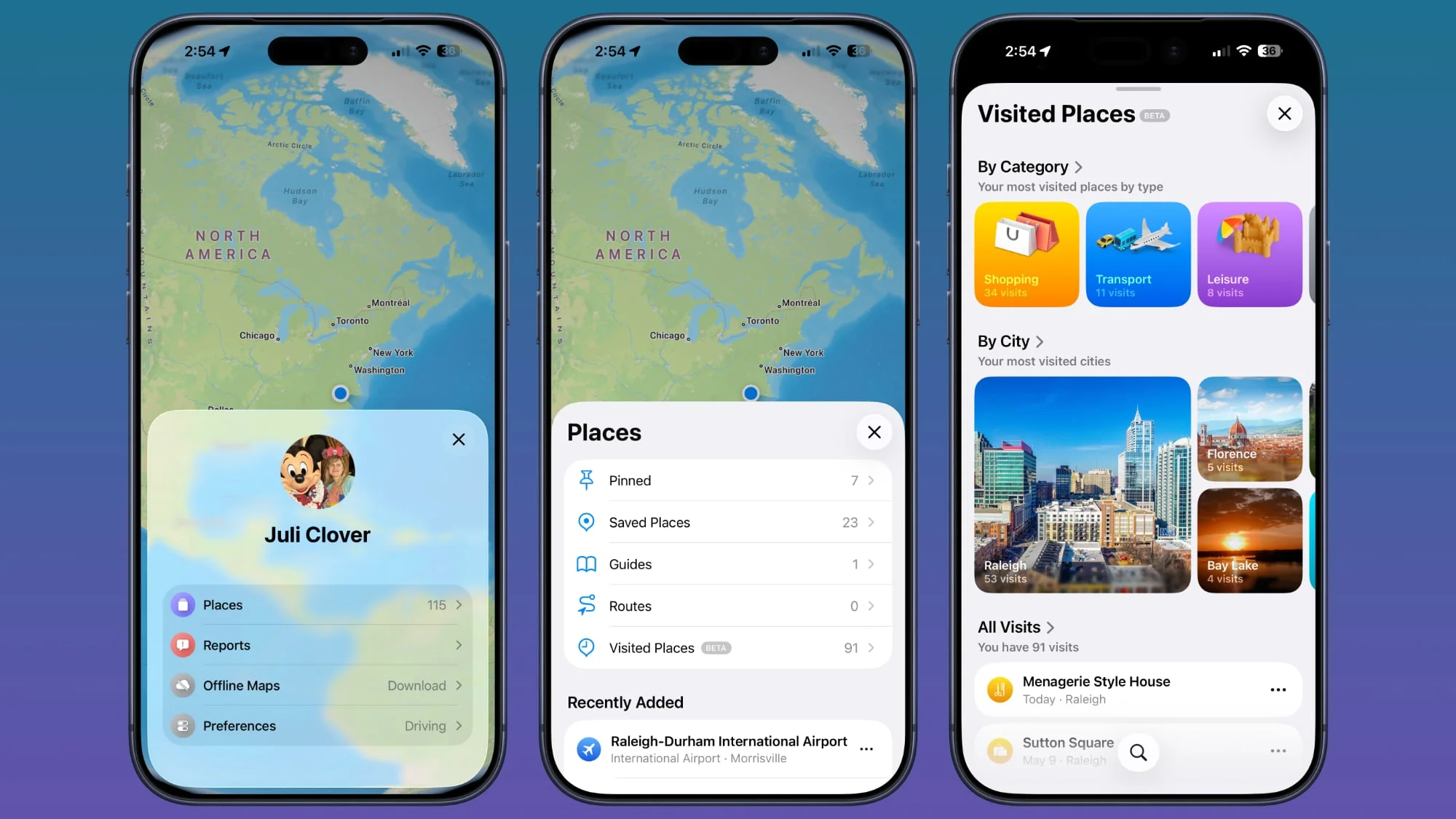
iOS now facilitates users in reviewing their location histories via the Maps app. This feature can prove invaluable for anyone wanting to revisit memorable spots or commendable establishments from prior visits. Users can navigate to their profile, select 'Places,' and delve into 'Visited Places' organized by categories such as leisure or shopping.
However, attention to privacy is essential. Users can clear their history or stop the tracking feature altogether by accessing Settings. The capability underscores a broader trend in mobile applications—providing users with control over their data while enhancing the practical usability of location services.
Personalize with Custom Vibrations
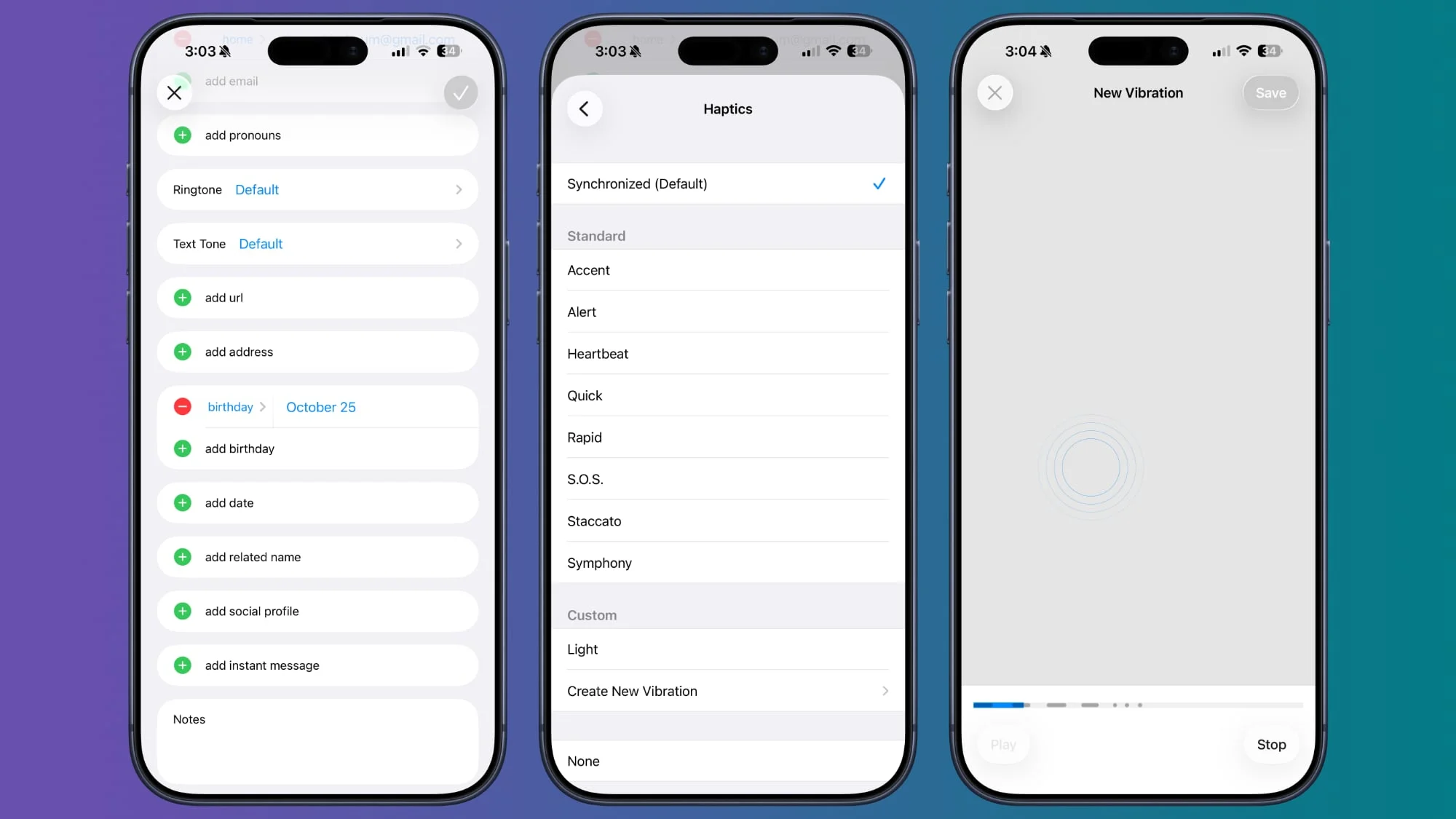
Custom vibration patterns represent another underappreciated aspect of iOS. On silent mode, differentiating between contacts can be streamlined by setting unique vibration alerts through the Contacts app. This capability allows users to manage notifications discreetly, catering to both personal and professional contexts. The process involves selecting a contact, editing their notification settings, and creating a personalized vibration sequence, thus ensuring that important alerts are readily recognized—even without visual cues.
Reconfiguring Lock Screen Functionality
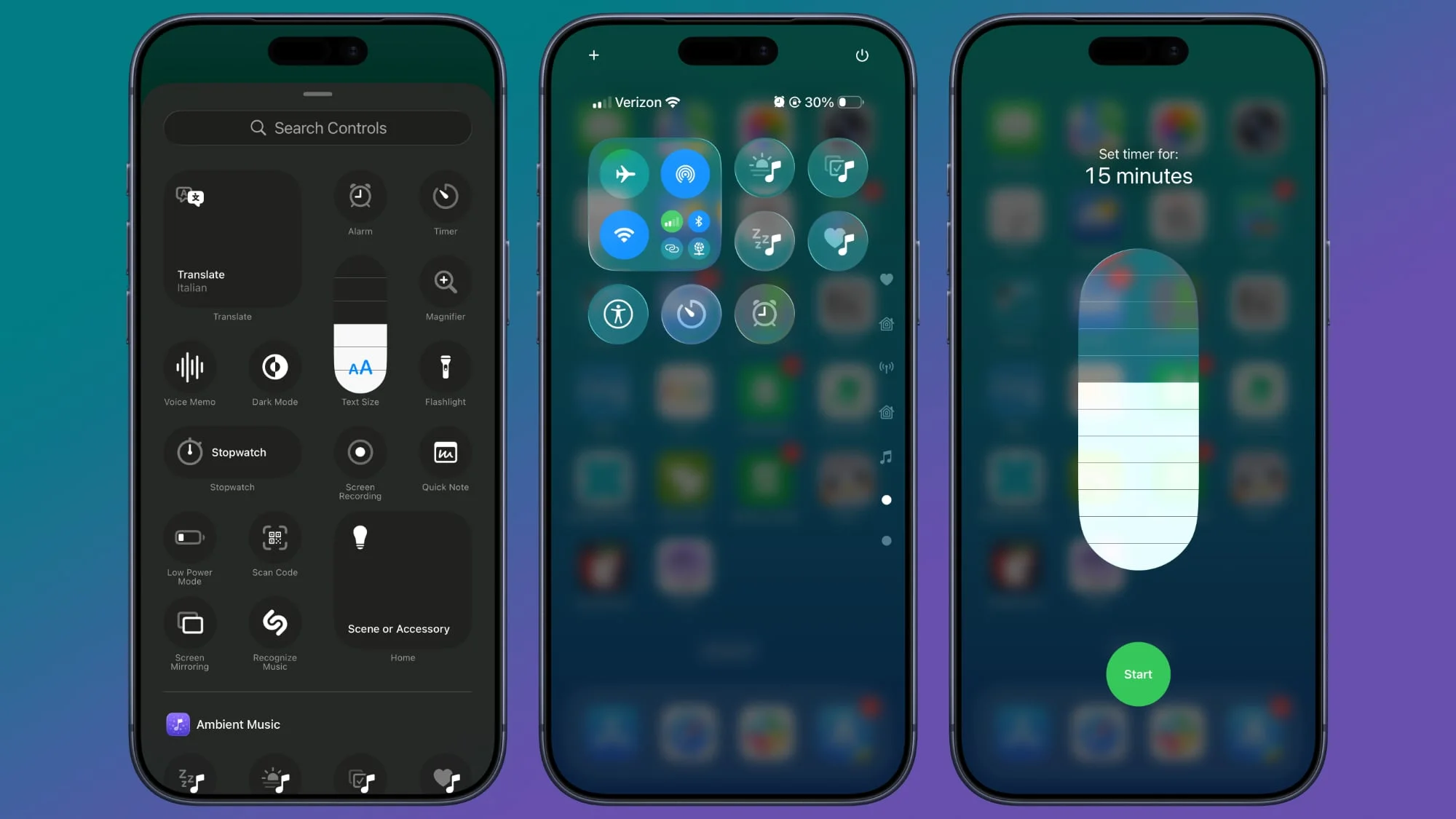
Lock Screen shortcuts can now be customized beyond their default functions. Users may select any Control Center option, which enhances efficiency by accessing preferred functions quickly. This flexibility is especially valuable in fast-paced environments where time management is critical. Long pressing on the Lock Screen allows for swift adjustments, making it more user-centric.
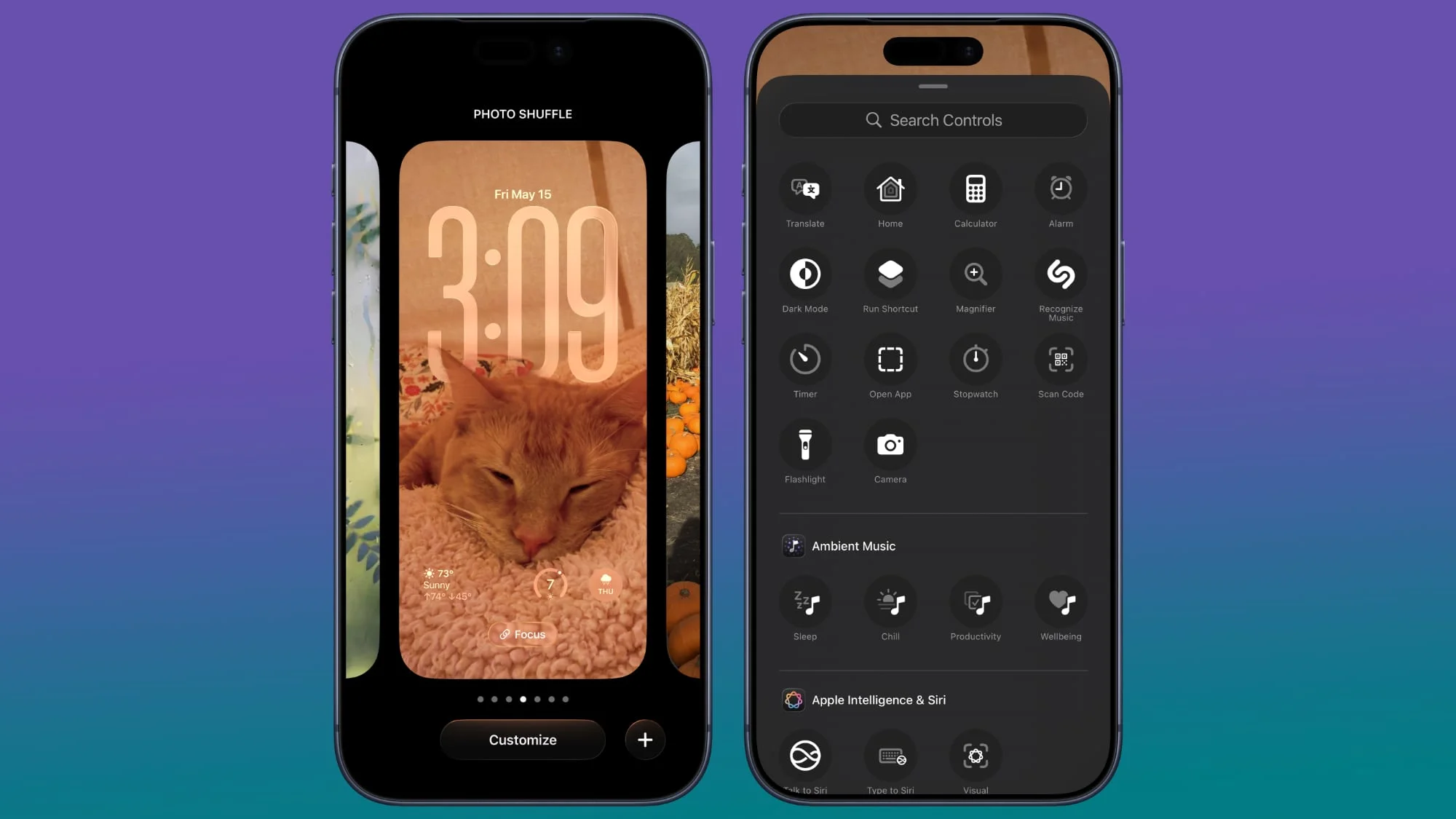
Innovative Back Tap Gestures
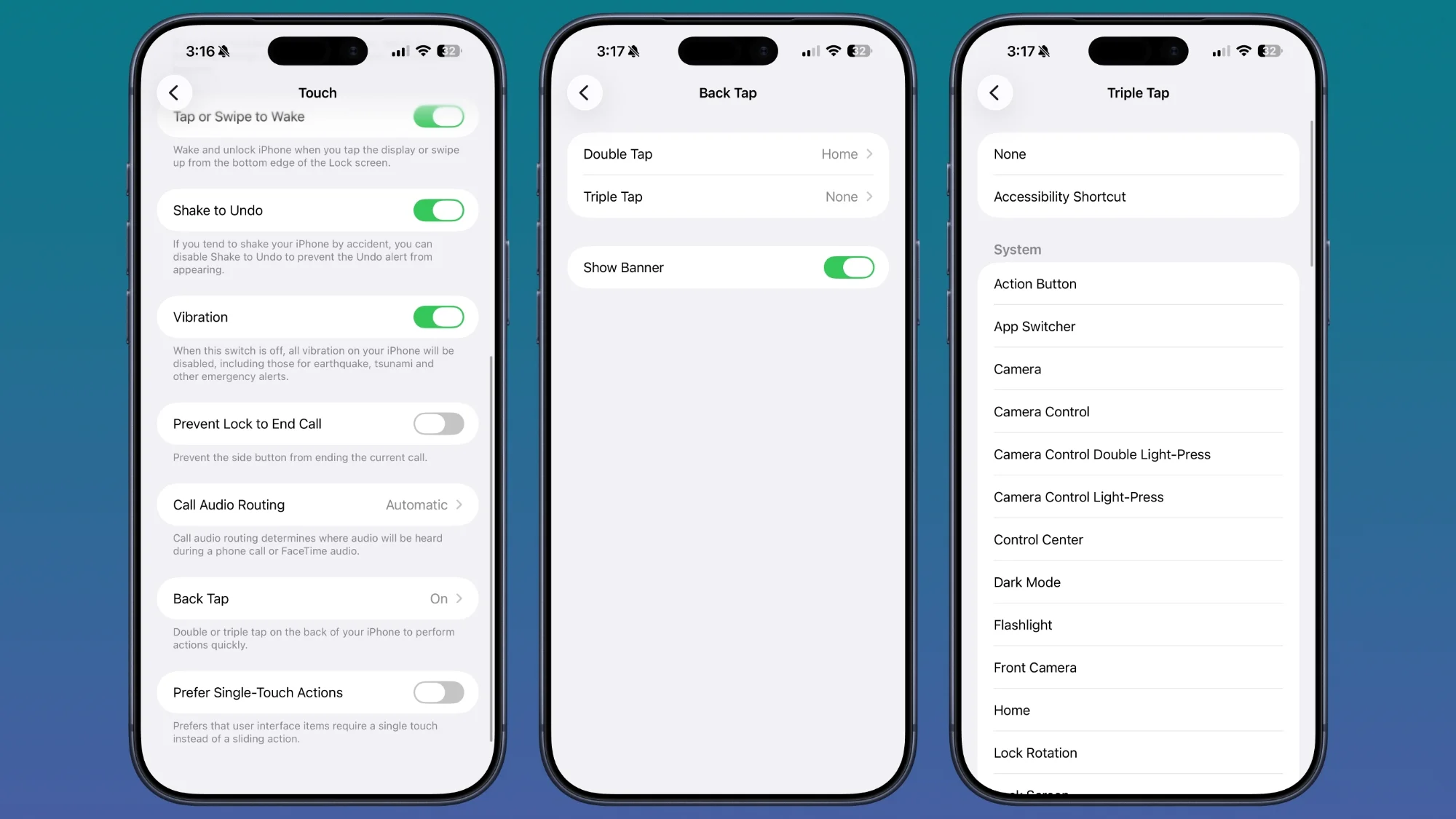
Despite its long-standing presence, the Back Tap function is often overlooked. Double or triple taps on the back of the iPhone can be assigned a wide range of actions, from quick screenshots to activating shortcuts. This capability not only enriches user interactivity but also emphasizes the iPhone's commitment to incorporating gestures that enhance accessibility and ease of use.
Expanded Screenshot Functionality
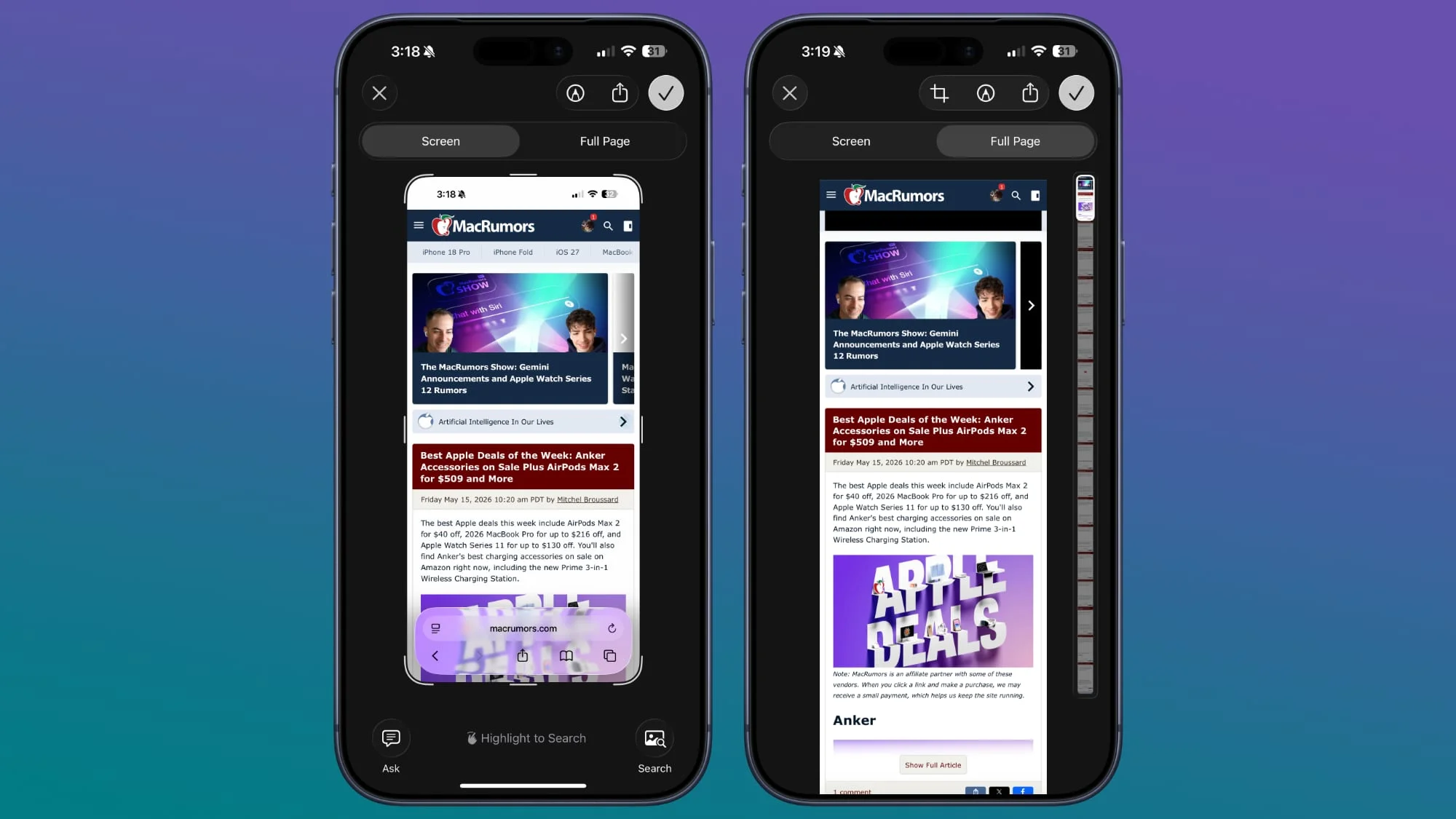
Taking long-form screenshots has become straightforward. Users can capture an entire webpage or PDF rather than being limited to the current visible segment. This could dramatically streamline processes for professionals needing documentation or reference while researching. Achieving this involves taking a standard screenshot and selecting the 'Full Page' option, enabling users to archive comprehensive content efficiently.
Discreetly Manage App Visibility
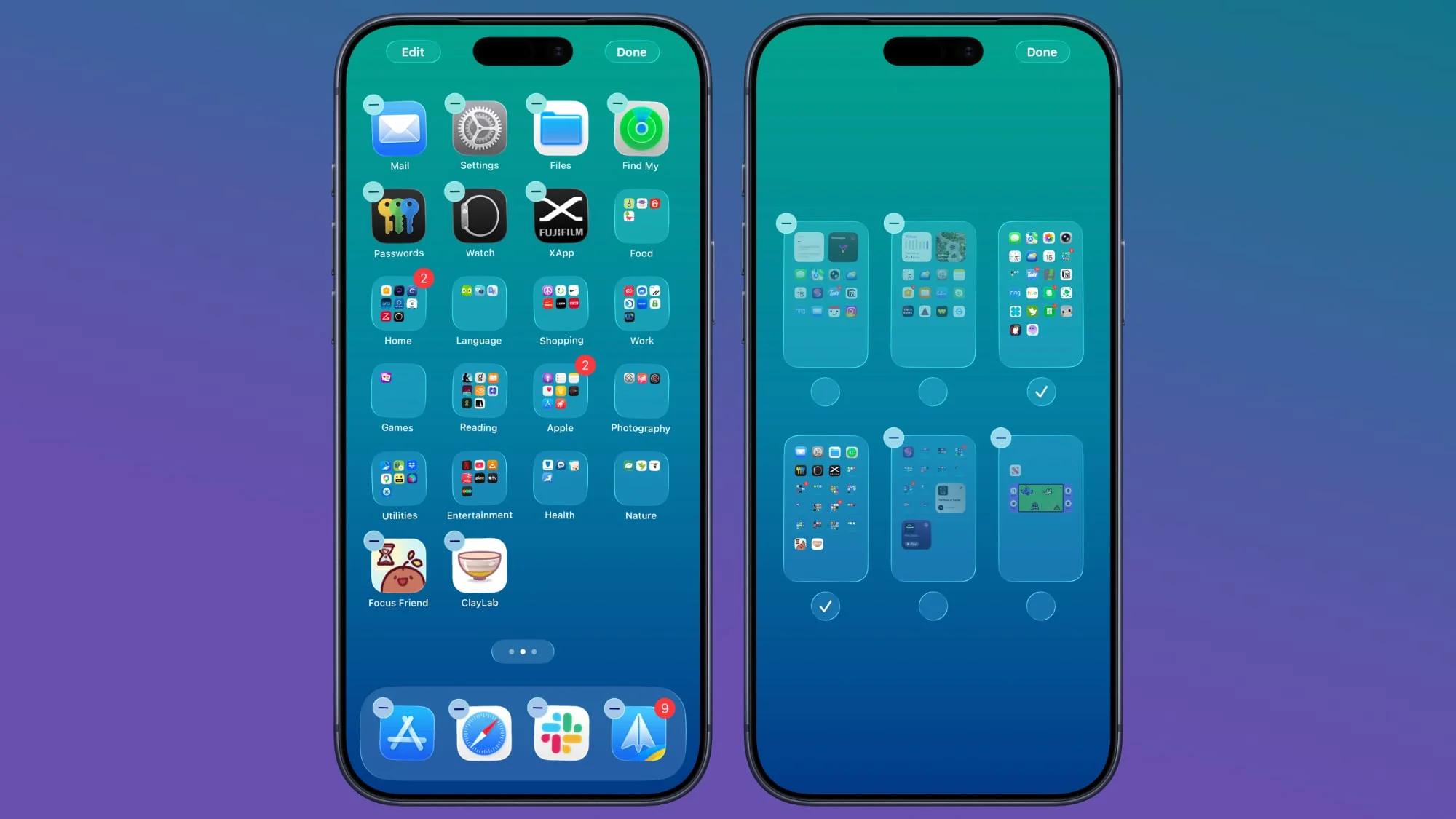
For those wishing to maintain a certain aesthetic or keep specific applications out of sight, iOS allows users to hide apps either individually or by entire pages. This feature—while primarily cosmetic—can significantly enhance the user experience in terms of organization and personalized layout. Apps remain accessible via Spotlight Search, and users can restore visibility at will, which can be beneficial in both professional and personal environments.
Fast Timer Setup for Media Control
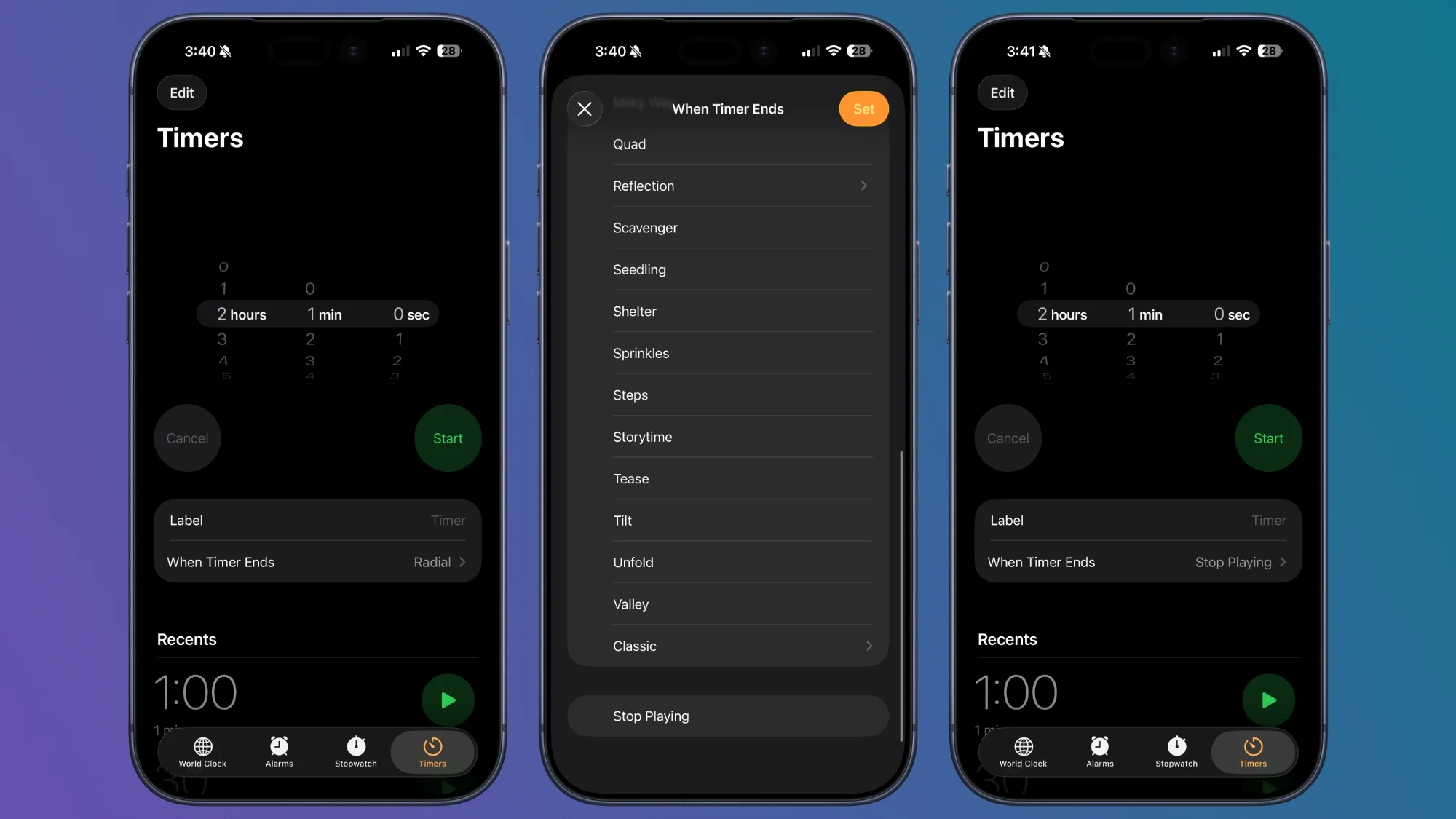
The integration of a quick-access timer in the Control Center optimizes media consumption practices. Users can add a timer to ensure music or podcasts only play for a set duration—ideal for winding down at night. This feature not only enhances user control over media playback but could also have implications for sleep management strategies. Setting up this function requires minimal effort, demonstrating Apple's focus on user-friendliness.
Safeguarding Privacy in Photo Sharing
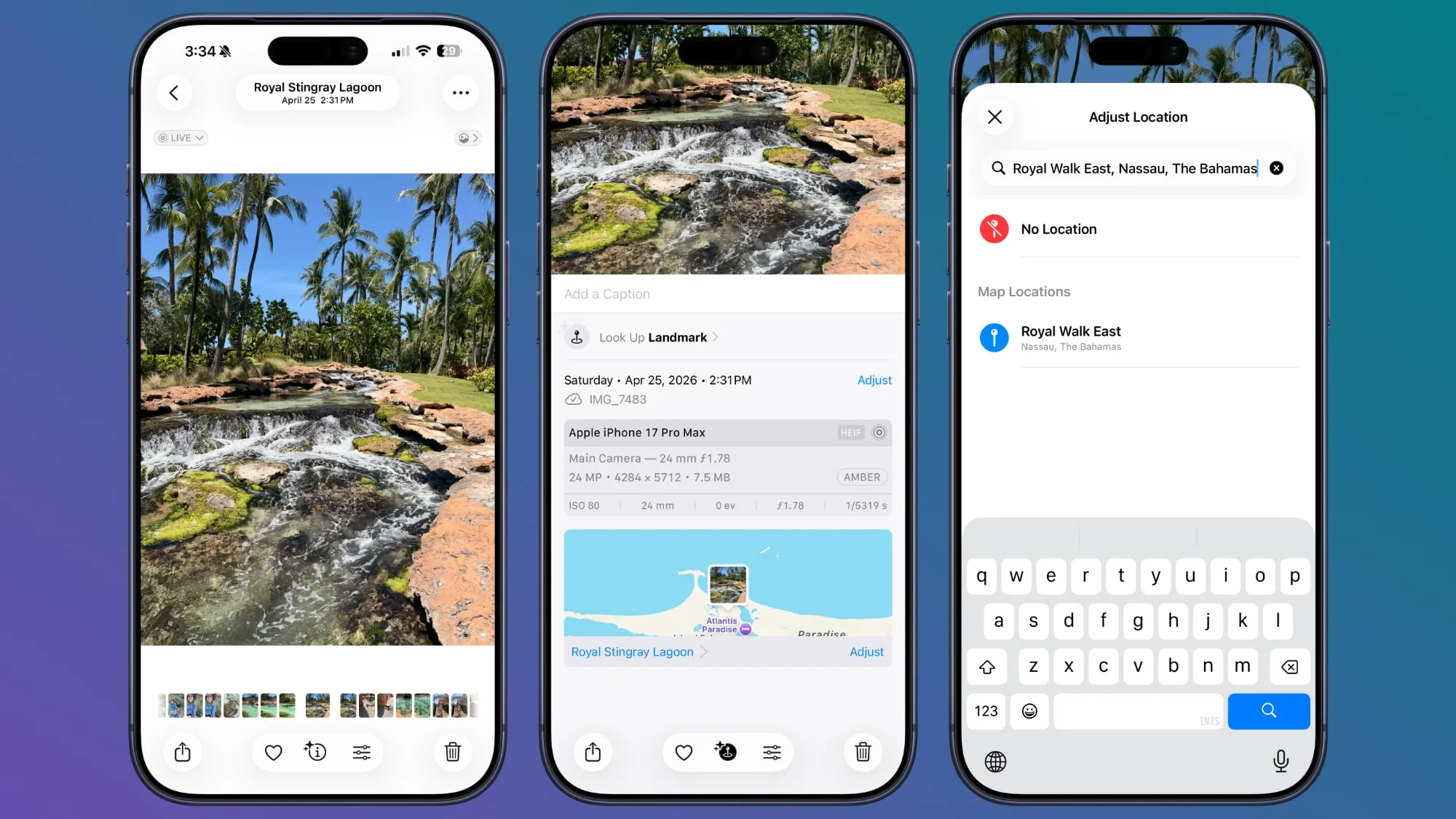
Lastly, the ability to strip metadata, such as location data, from photos before sharing is an important privacy feature that aligns with rising concerns over data security. Users can easily omit location details from the Photos app, whether through direct image settings or at the sharing stage. This allows for safer exchanges of personal media, reinforcing the ethos of user privacy that Apple promotes.
Media Playback Management with Timers
Using timers not only for managing media play but also for effective use of time in various media consumption scenarios presents another level of control, making this feature valuable in both casual and professional contexts. The Clock app's ability to stop playback synchronizes effectively with modern media habits, indicating a thoughtful design approach by Apple towards user needs.
Community Engagement Through Tips
As iOS continues to evolve, the community's role in sharing tips becomes imperative. Users are encouraged to share their insights or lesser-known features that enhance their daily interactions with their devices. This open-dialogue approach not only fosters learning but also strengthens the user community around Apple's ecosystem.
Emerging functionalities within iOS not only contribute to individual user experiences but also hint at larger trends in mobile interface design and user interaction. For tech professionals, familiarity with these features can inform both product recommendations and create tailored user training experiences that empower end-users.